> ## Documentation Index
> Fetch the complete documentation index at: https://kb.hosting.com/llms.txt
> Use this file to discover all available pages before exploring further.
# Adding an article slider in Joomla
> Discover how to feature top posts with article sliders on your Joomla site using the JMG Article Slider plugin.
JMG Article Slider is a module for [Joomla](https://hosting.com/hosting/platforms/joomla-hosting) that allows you to create and showcase top articles on image sliders.This article walks you through the steps to create an article slider using the JMG Article slider module.
## Installing JMG Article Slider in Joomla
To install and configure JMG Article Slider in Joomla, follow these steps:
1. Log in to your Joomla site with an administrator account.
2. On the top menu bar, click **Extensions**, click **Manage**, and then click **Install**.
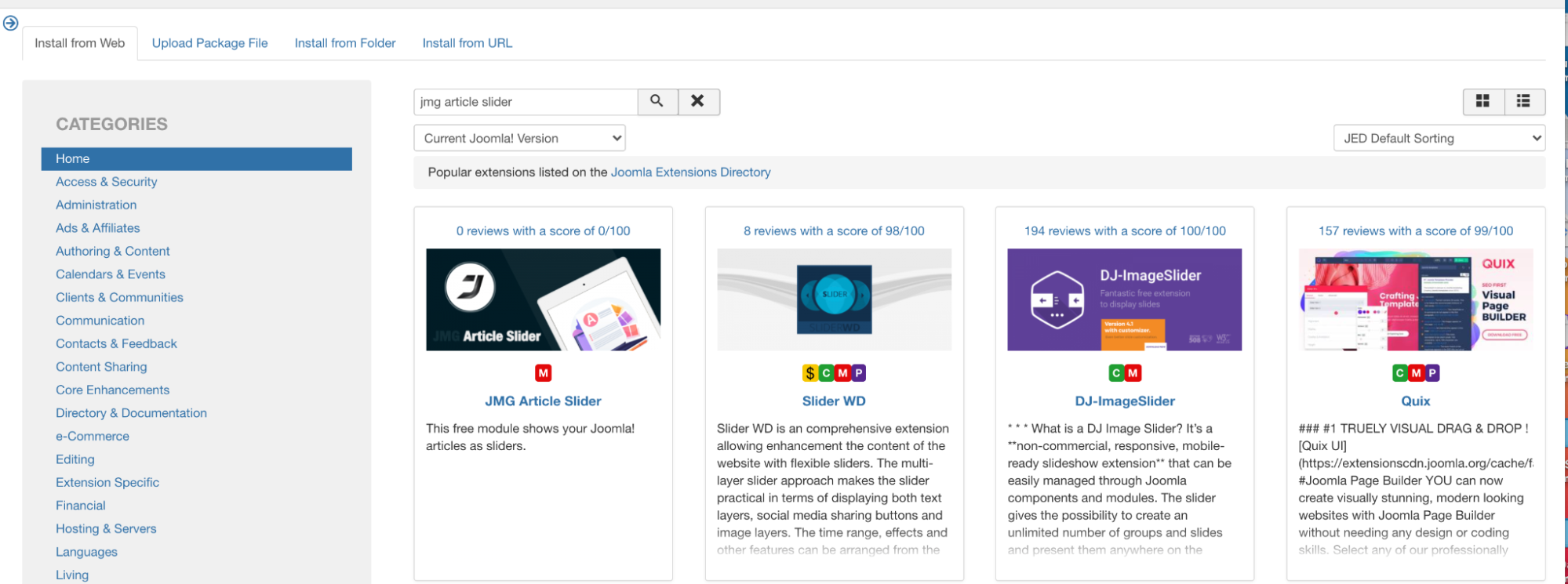
3. Select "*Install from Web"* tab, search for "*JMG Article Slider Extension*":\\
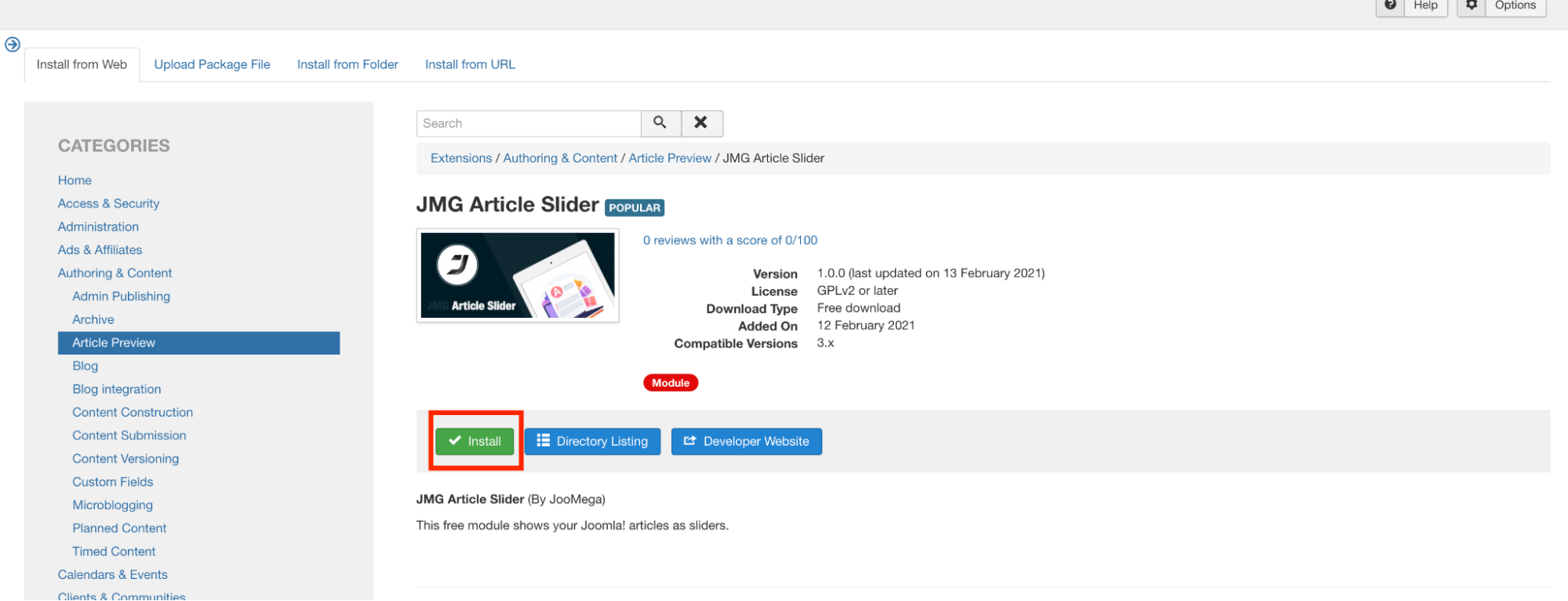
4. Click on **Install** to install the module:\\
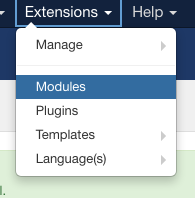
If the Install option on the module does not work, click Directory Listing. This will take you to the module page. Download the extension to your computer. Then click the Upload Package File tab. Upload the extension file from your drive. This will upload and install the module.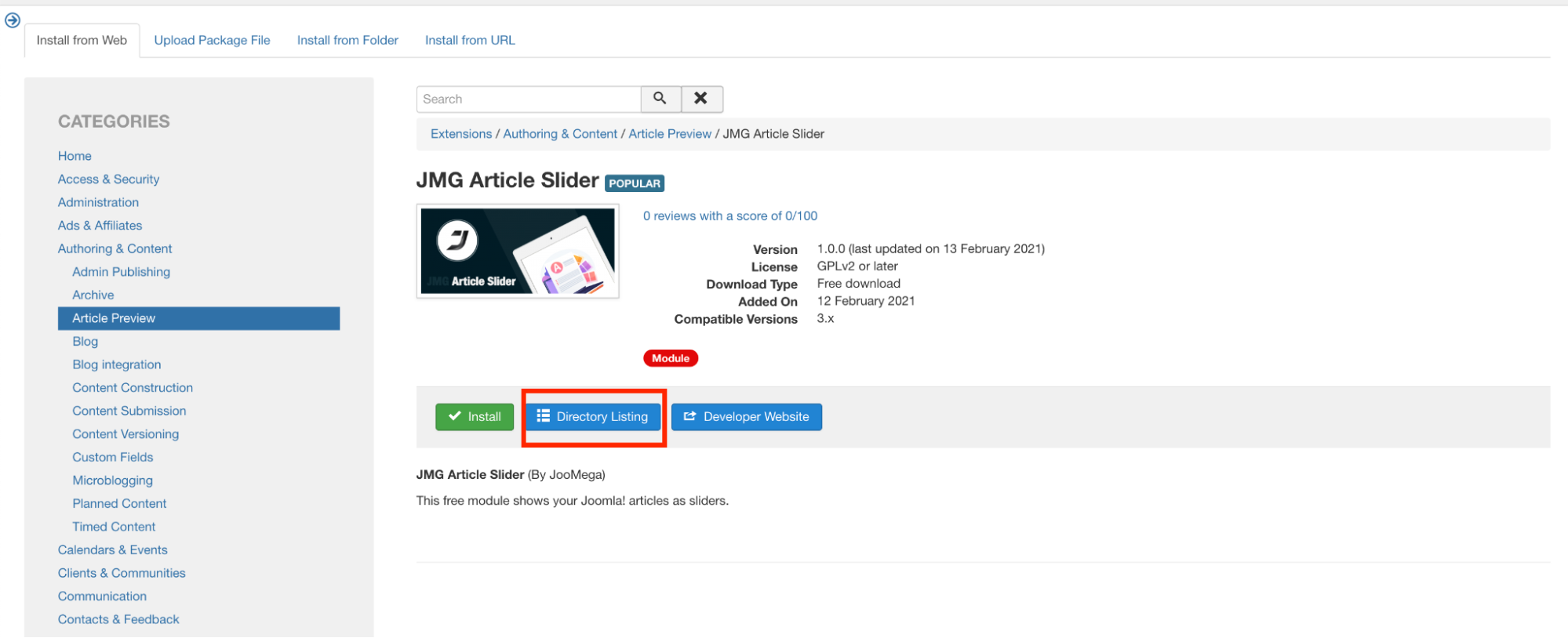 5. On the top menu bar, click **Extensions**, and then click **Modules**:
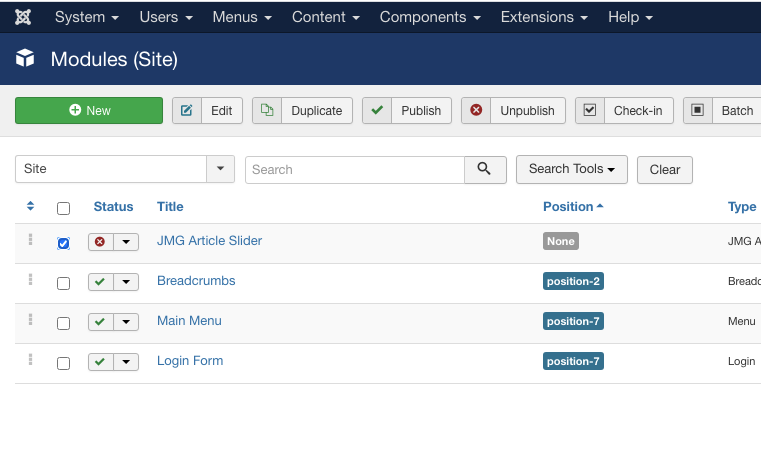
  6. Select the "*JMG Article Slider* "to edit the module:\\
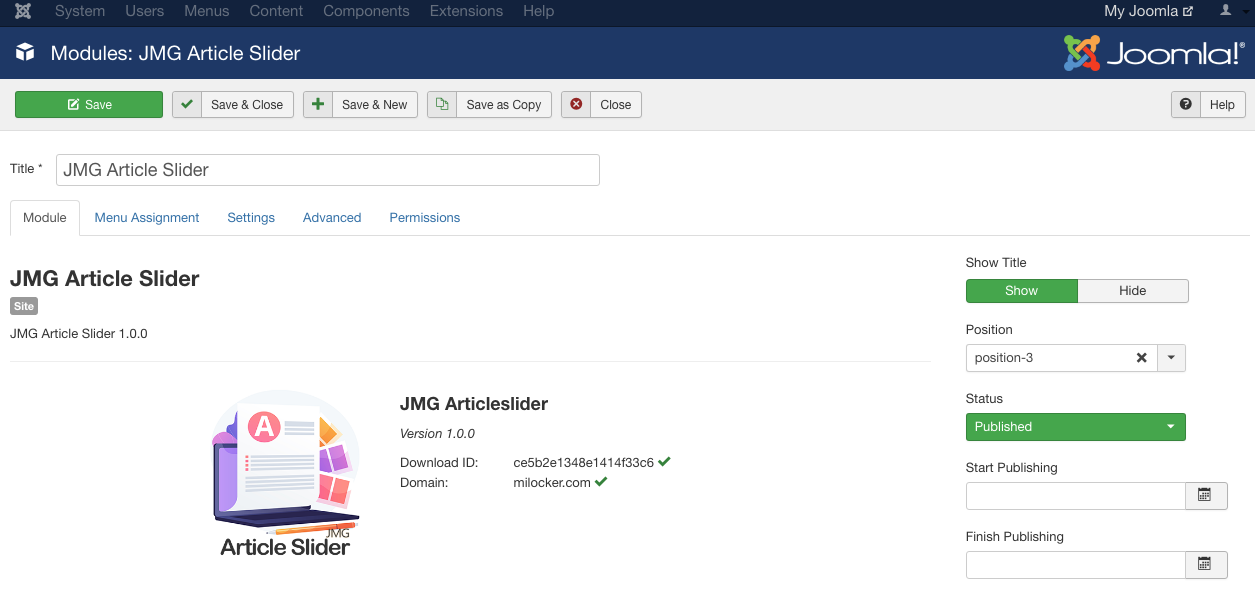
7. Change the status to ‘ **published** ’ and select the position to display the slider:\\
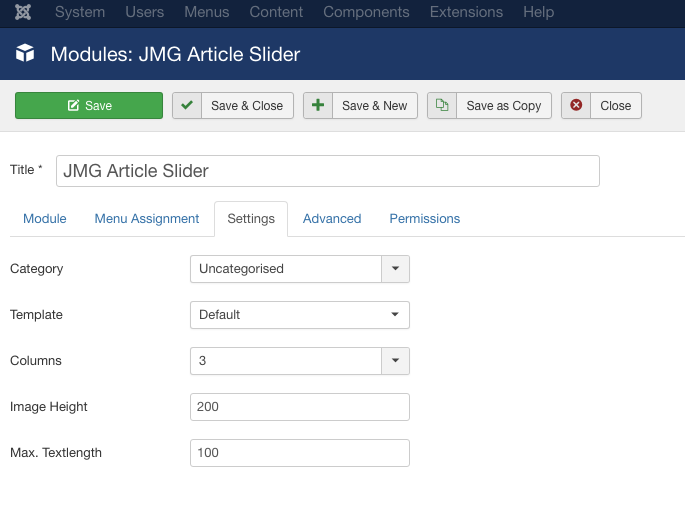
8. Click on the **Settings** tab to set the template, number of columns and other slider settings. Click **Save** to save the changes:\\
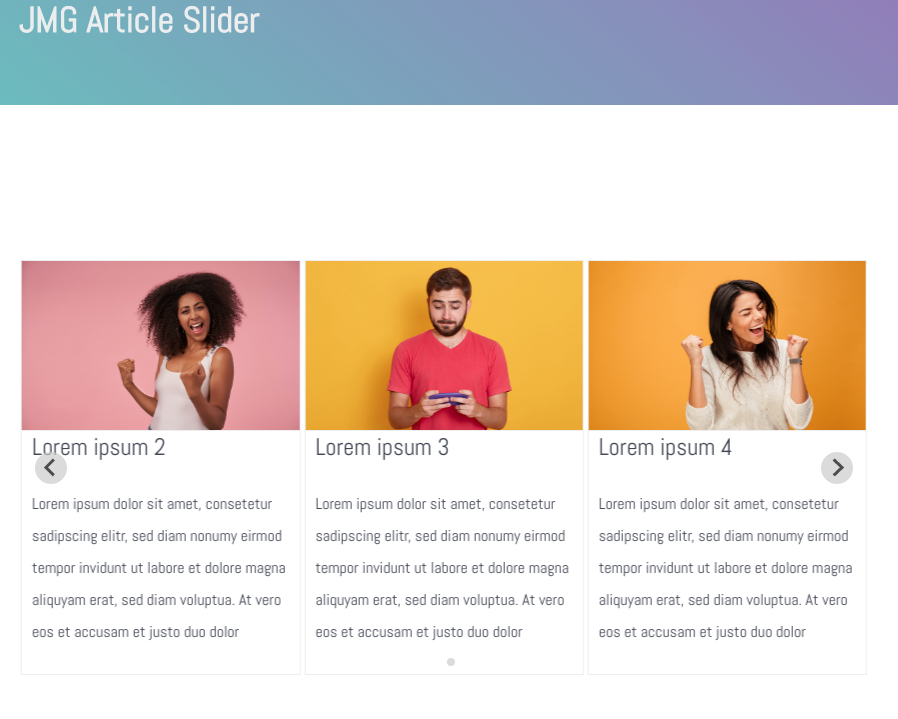
9. The slider is displayed on selected position of the Joomla site:\\
## More information
For more information about JMG Article Slider, please visit [https://extensions.joomla.org/extension/jmg-article-slider/](https://extensions.joomla.org/extension/jmg-article-slider/)
## Related articles
* [Disabling plugins in Joomla](/docs/disabling-plugins-in-joomla)
* [Using Google Analytics with Joomla](/docs/using-google-analytics-with-joomla)
* [Updating Joomla](/docs/updating-joomla)
6. Select the "*JMG Article Slider* "to edit the module:\\

7. Change the status to ‘ **published** ’ and select the position to display the slider:\\

8. Click on the **Settings** tab to set the template, number of columns and other slider settings. Click **Save** to save the changes:\\

9. The slider is displayed on selected position of the Joomla site:\\

## More information
For more information about JMG Article Slider, please visit [https://extensions.joomla.org/extension/jmg-article-slider/](https://extensions.joomla.org/extension/jmg-article-slider/)
## Related articles
* [Disabling plugins in Joomla](/docs/disabling-plugins-in-joomla)
* [Using Google Analytics with Joomla](/docs/using-google-analytics-with-joomla)
* [Updating Joomla](/docs/updating-joomla)