> ## Documentation Index
> Fetch the complete documentation index at: https://kb.hosting.com/llms.txt
> Use this file to discover all available pages before exploring further.
# Disabling embedding of WordPress posts remotely on 3rd party sites
> Learn how to disable oEmbed to prevent remote embedding of your WordPress blog posts.
oEmbed is a format that allows a URL to be embedded on third-party websites. When a user posts a link to a resource, the simple API allows a website to display embedded content (such as photos or videos) without having to parse the resource directly. This function enables the remote embedding of any [WordPress](https://hosting.com/hosting/platforms/wordpress-hosting/managed-wordpress-hosting/) blog. This article will show you how to disable the oEmbed functionality to prevent anyone from remotely embedding your WordPress blog post
## Disabling oEmbed in WordPress
To disable oEmbed in WordPress, follow these steps:
1. Log in to WordPress as the administrator.
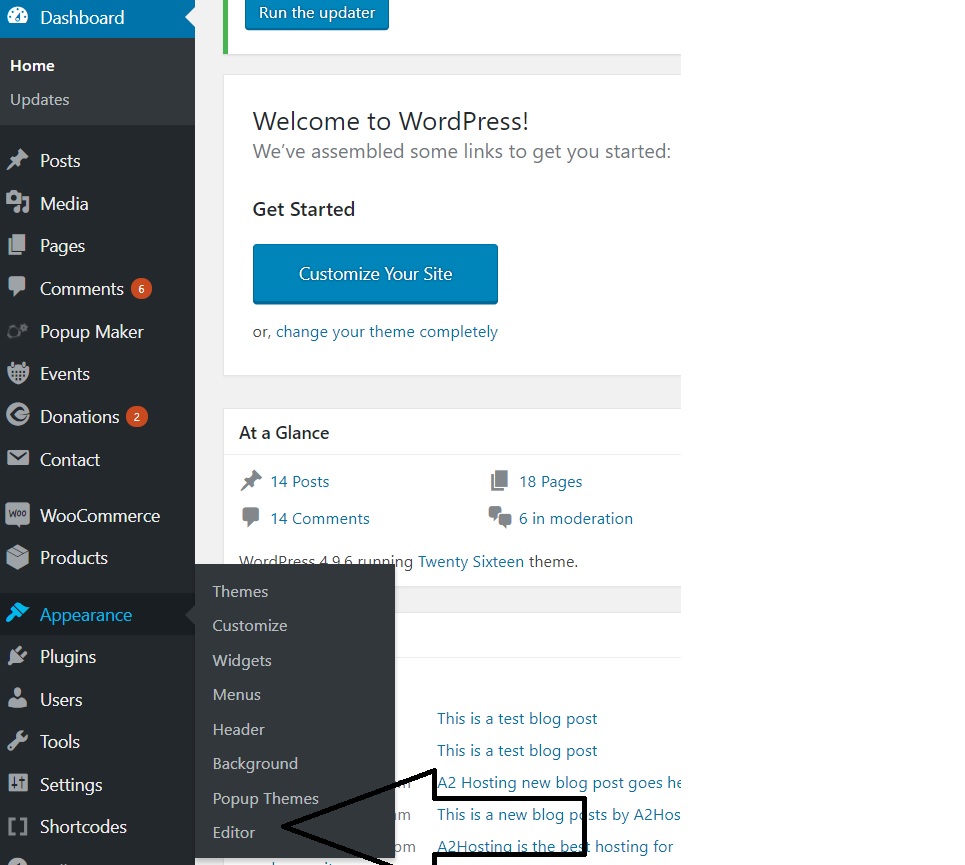
2. On the **Dashboard** in the left sidebar, click **Appearance**, and then click **Editor**:\\
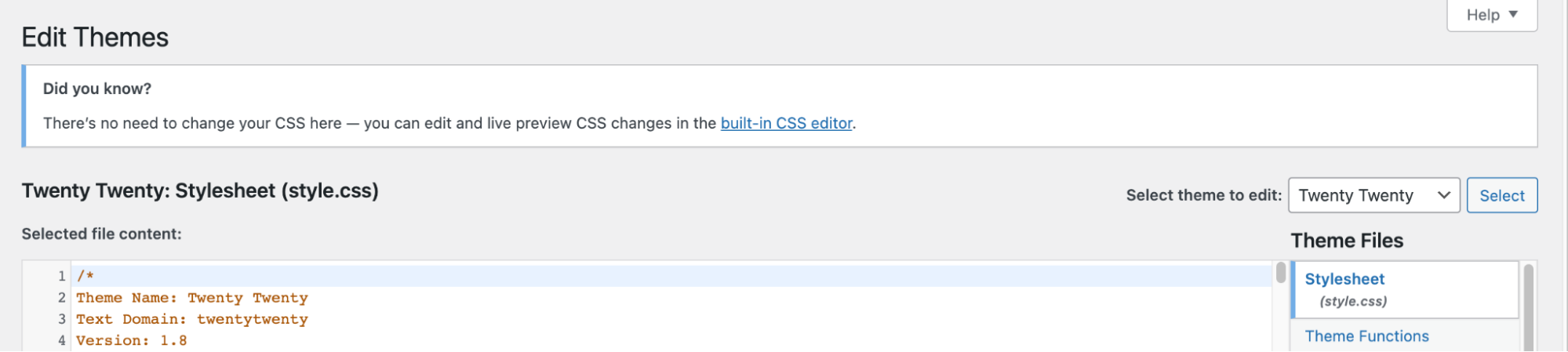
 3. On the **Theme Editor**, select the **Theme** you want to edit from the dropdown:\\
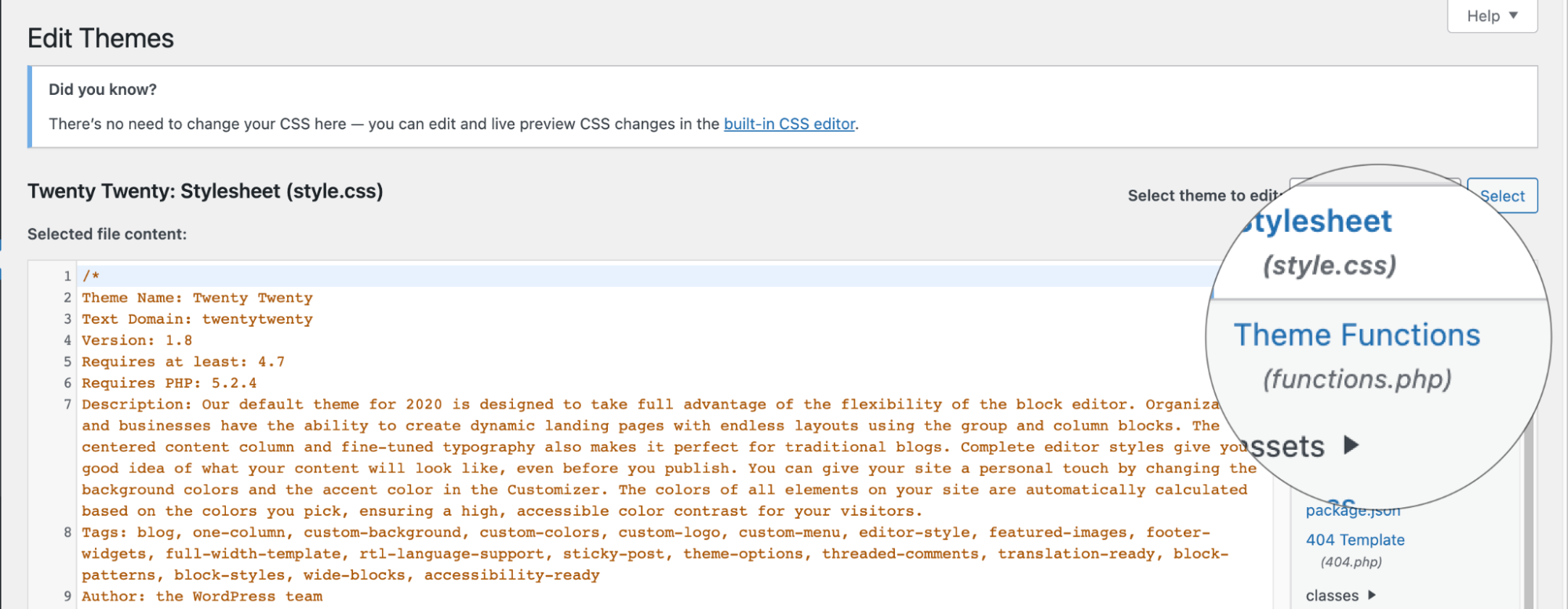
 4. The files for this selected theme are listed on the right column under Theme Files. Click on the file named "**functions.php**":\\
 5. Insert the following code to the end of functions.php file and click Update File Button to save the changes:
```javascript theme={null}
function no_embed() {
wp_dequeue_script('wp-embed');
}
add_action('wp_footer', 'no_embed');
```
6. This code prevents the related JS file from loading and other from embedding your blog posts from wordpress site.
## More information
For more information about oEmbed, please visit [https://oembed.com/](https://oembed.com/)
## Related articles
* [Creating short link in WordPress](/docs/creating-short-link-in-wordpress)
* [Linking Twitter username automatically in WordPress posts](/docs/linking-twitter-username-automatically-in-wordpress-posts)
5. Insert the following code to the end of functions.php file and click Update File Button to save the changes:
```javascript theme={null}
function no_embed() {
wp_dequeue_script('wp-embed');
}
add_action('wp_footer', 'no_embed');
```
6. This code prevents the related JS file from loading and other from embedding your blog posts from wordpress site.
## More information
For more information about oEmbed, please visit [https://oembed.com/](https://oembed.com/)
## Related articles
* [Creating short link in WordPress](/docs/creating-short-link-in-wordpress)
* [Linking Twitter username automatically in WordPress posts](/docs/linking-twitter-username-automatically-in-wordpress-posts)