> ## Documentation Index
> Fetch the complete documentation index at: https://kb.hosting.com/llms.txt
> Use this file to discover all available pages before exploring further.
# Disabling URL in WordPress comment section
> Learn how to disable URL from the comment sections on WordPress to avoid spam links.
[WordPress](https://hosting.com/hosting/platforms/wordpress-hosting) comment section is often tagged with spam URL links. This article gives you the steps to remove these URLs from the comment section with a simple php function.
## Configuring the theme file to remove URL from comment section
**Important**
Always perform a backup before you make any changes to the theme files. If you break any codes, it will be easier for you to revert your site to its last good known state. Alternatively, you could also create a child theme. Read this link on how to create a child theme: [https://www.hosting.com/blog/wordpress-child-theme/](https://www.hosting.com/blog/wordpress-child-theme/)
To edit your Theme setting file to disable URL in the comments section, follow the steps below:
1. Log in to your WordPress site with an administrator account.
2. On the **Dashboard** in the left sidebar, click **Appearance**, and then click **Theme Editor**: \*\*\*\*
You can always use the default editor for the theme. This article will use the Theme Editor Plugin to edit the theme files.Refer to this link to install Theme Editor plugin: [https://wordpress.org/plugins/theme-editor/](https://wordpress.org/plugins/theme-editor/)
3. On the **Theme Editor**, select the **Theme** you want to edit from the dropdown:\

**Important**
You will not be able to roll back to your earlier Theme configuration after any edits. It is recommended to save the Theme file before proceeding with the edits
4. The files for this selected theme is listed on the right column under Theme Files
5. Click on the file named "functions.php":\
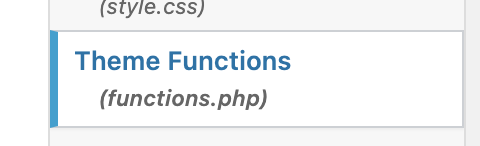
6. Insert the following code at the end of the*functions.php* file:
```javascript theme={null}
function disable_comment_URL_field($fields) {
unset($fields['url']);
return $fields;
}
add_filter('comment_form_default_fields','disable_comment_URL_field');
```
7. Save the file and exit the editor.
## More information
For more information about the please visit the following link: [https://wordpress.org/plugins/theme-editor/](https://wordpress.org/plugins/theme-editor/)
## Related articles
* [Adding external RSS feeds to your WordPress site](/docs/adding-external-rss-feeds-to-your-wordpress-site)
* [Changing comment notification settings in WordPress](/docs/changing-comment-notification-settings-in-wordpress)
* [Changing the WordPress theme manually](/docs/changing-the-wordpress-theme-manually)