> ## Documentation Index
> Fetch the complete documentation index at: https://kb.hosting.com/llms.txt
> Use this file to discover all available pages before exploring further.
# Showing registered users on WordPress using PHP
> Discover how to display the total number of registered users on your WordPress site using PHP code.
Displaying the total number of registered users on a [WordPress](https://hosting.com/hosting/platforms/wordpress-hosting/managed-wordpress-hosting/) site indicates the site's traffic and popularity. This article will show you how to use a PHP function to display the total number of registered [WordPress](https://hosting.com/hosting/platforms/wordpress-hosting/managed-wordpress-hosting/) users on pages or posts.
## Displaying the total number of registered users on WordPress
**Important**
Always perform a backup before you make any changes to the theme files. If you break any codes, it will be easier to revert your site to its last good known state. Alternatively, you could also create a child theme. Read this link on how to create a child theme: [https://www.hosting.com/blog/wordpress-child-theme/](https://www.hosting.com/blog/wordpress-child-theme/)
Follow the steps below to edit your Theme setting file to show total registered users on WordPress blog posts or pages:
1. Log in to your WordPress site with an administrator account.
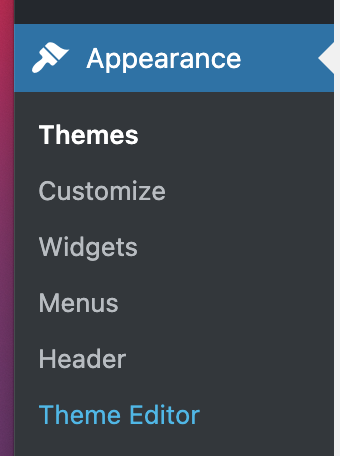
2. On the **Dashboard** in the left sidebar, click **Appearance,** and then click **Theme Editor**:\\
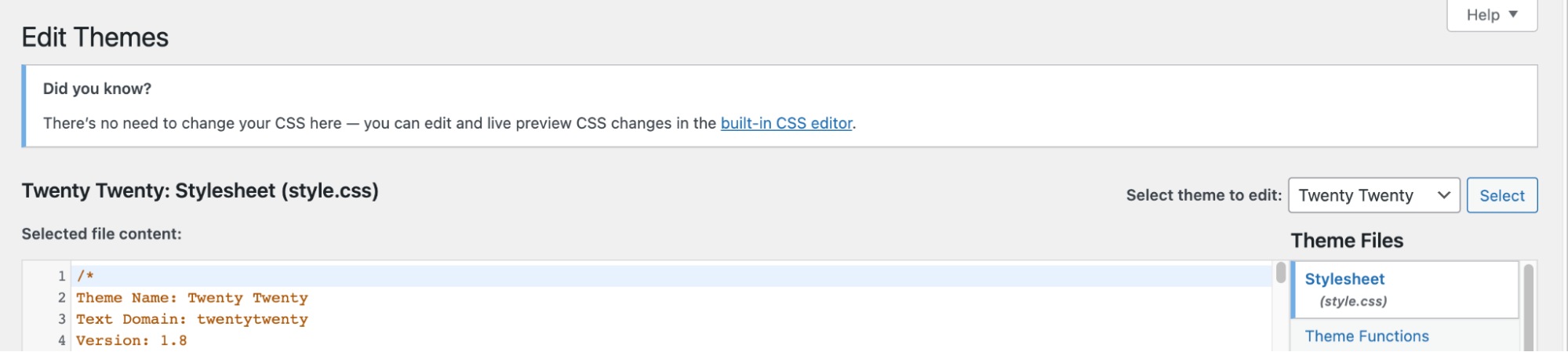
 3. On the **Theme Editor**, select the **Theme** you want to edit from the dropdown:\\
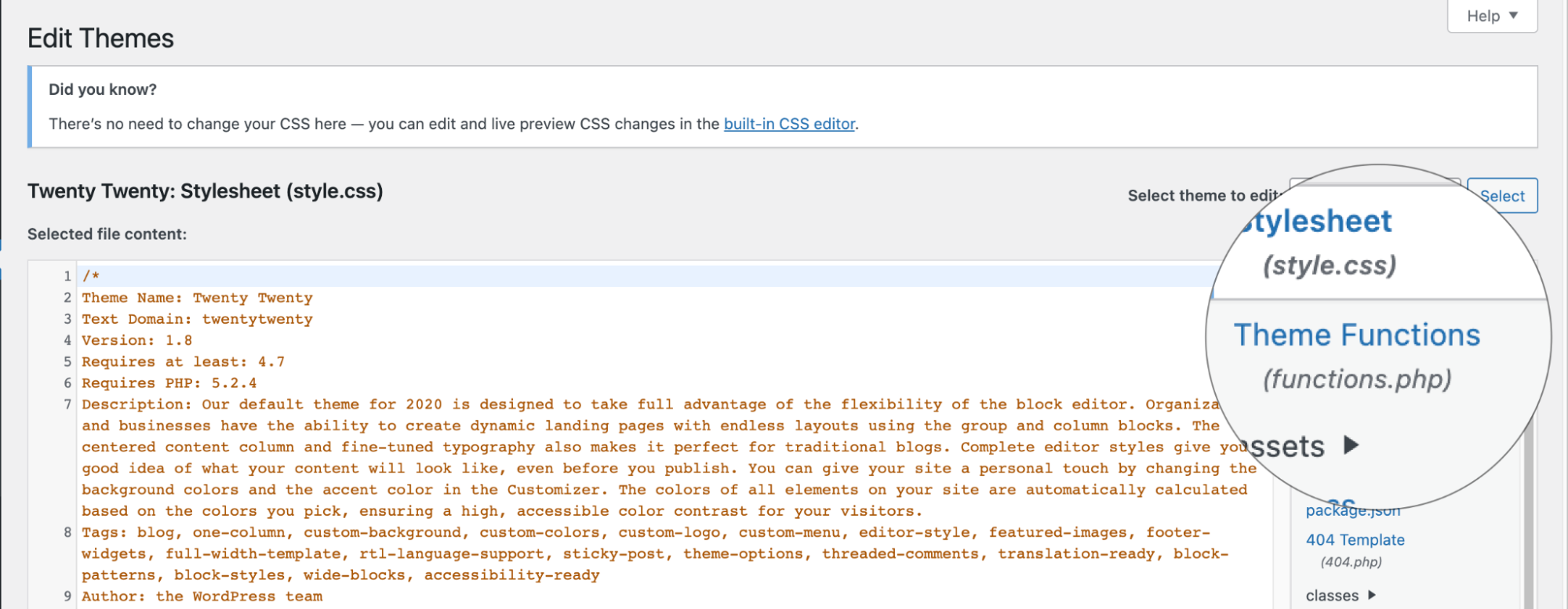
 4. The files for this selected theme are listed on the right column under **Theme Files**. Click on the file named "*functions.php*":\\
 5. Insert the following code to the end of functions.php file and click **Update File Button** to save the changes:
```javascript theme={null}
// Function to return user count
function wpb_user_count() {
$usercount = count_users();
$result = $usercount['total_users'];
return $result;
}
// Creating a shortcode to display user count
add_shortcode('user_count', 'wpb_user_count');
```
6. To display the total number of registered users on WordPress site shortcode to **\[user\_count]** the post or page.
## Related articles
* [Configuring site statistics for WordPress](/docs/configuring-site-statistics-for-wordpress)
* [Configuring WordPress admin dashboard](/docs/configuring-wordpress-admin-dashboard)
* [Creating custom shortcodes in WordPress](/docs/creating-custom-shortcodes-in-wordpress)
5. Insert the following code to the end of functions.php file and click **Update File Button** to save the changes:
```javascript theme={null}
// Function to return user count
function wpb_user_count() {
$usercount = count_users();
$result = $usercount['total_users'];
return $result;
}
// Creating a shortcode to display user count
add_shortcode('user_count', 'wpb_user_count');
```
6. To display the total number of registered users on WordPress site shortcode to **\[user\_count]** the post or page.
## Related articles
* [Configuring site statistics for WordPress](/docs/configuring-site-statistics-for-wordpress)
* [Configuring WordPress admin dashboard](/docs/configuring-wordpress-admin-dashboard)
* [Creating custom shortcodes in WordPress](/docs/creating-custom-shortcodes-in-wordpress)