> ## Documentation Index
> Fetch the complete documentation index at: https://kb.hosting.com/llms.txt
> Use this file to discover all available pages before exploring further.
# Hiding user profile fields in WordPress
> Learn how to hide unused user profile fields in WordPress using CSS.
[WordPress](https://hosting.com/hosting/platforms/wordpress-hosting/managed-wordpress-hosting/) 's user profile page includes a wide variety of field options for saving various user information, such as:
* Email
* Website
You can use CSS to hide specific fields on the user profile page if you want to keep it simple. This tutorial will show you how to use CSS to hide specific user profile fields.
To hide user profile fields in WordPress, follow these steps:
1. Log in to WordPress as the administrator.
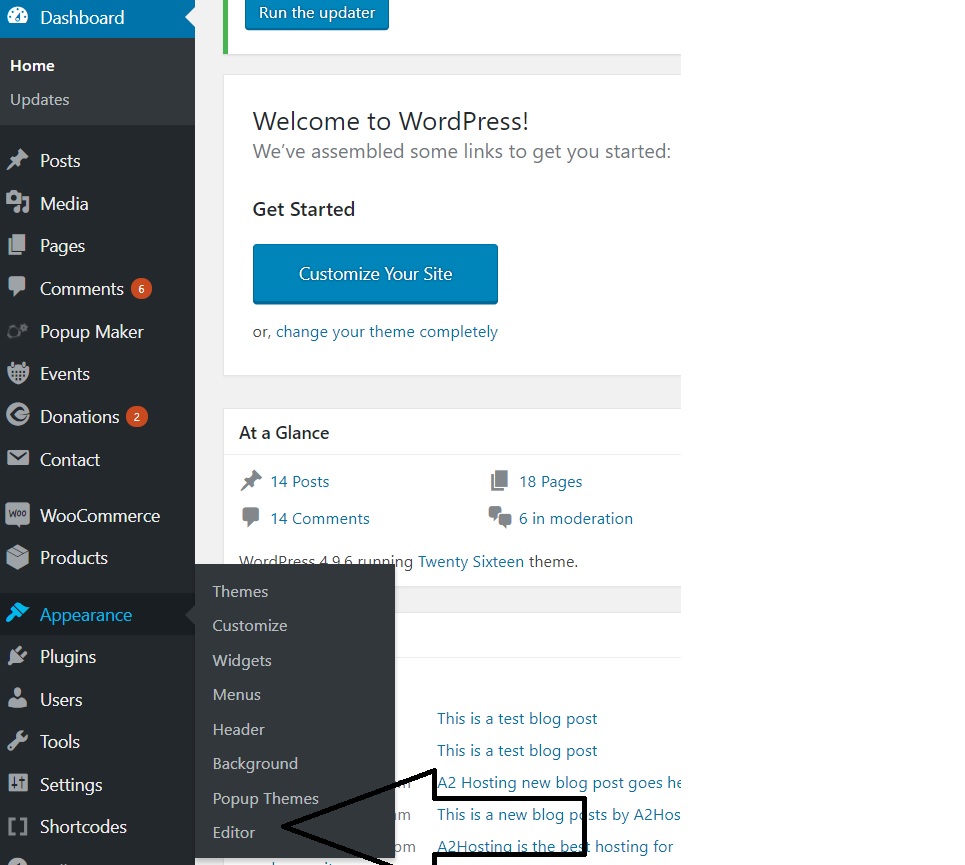
2. On the **Dashboard** in the left sidebar, click **Appearance**, and then click **Editor**:\
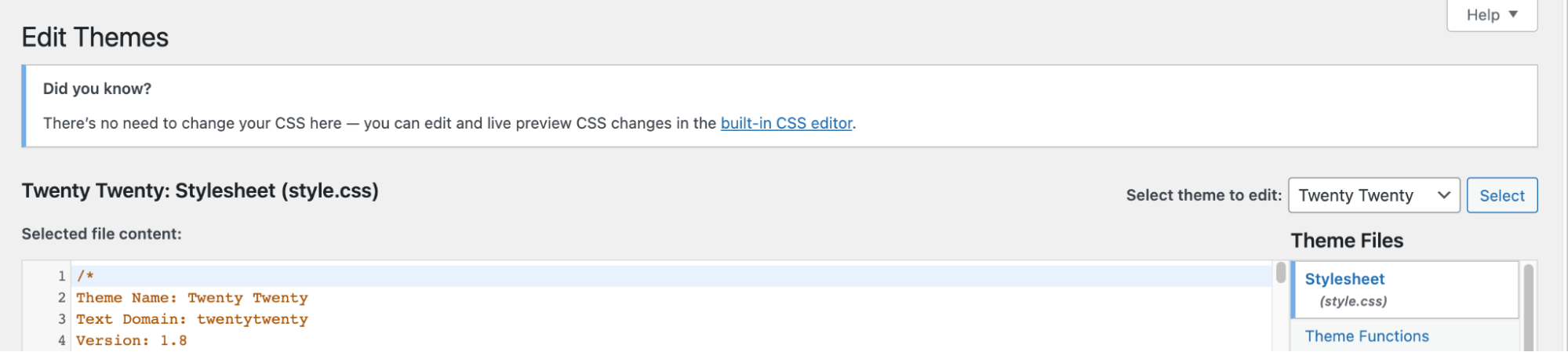
3. On the **Theme Editor**, select the **Theme** you want to edit from the dropdown:\
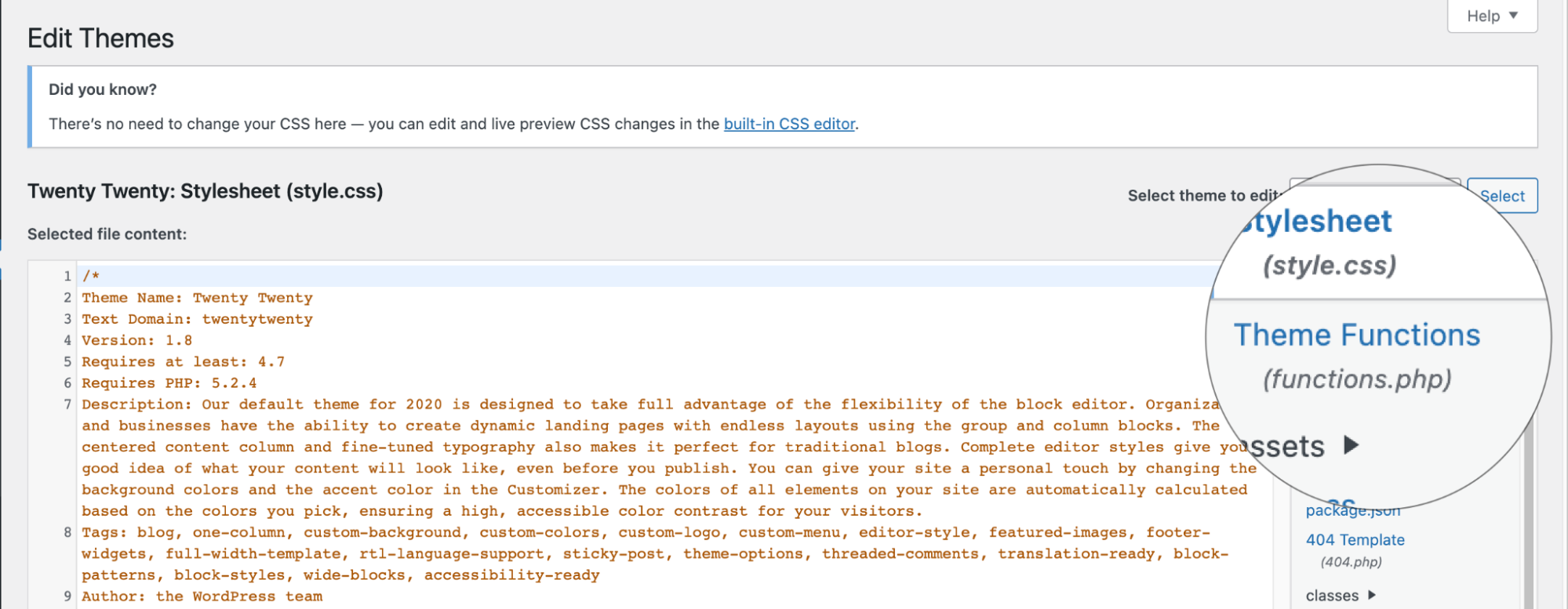
4. The files for this selected theme are listed on the right column under **Theme Files**. Click on the file named "**functions.php**":\
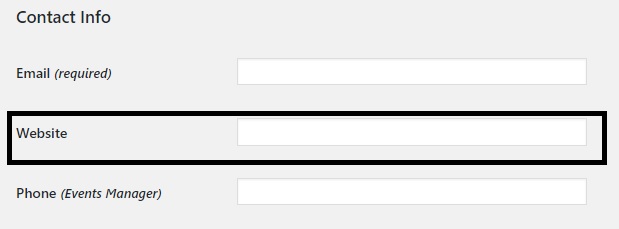
5. This example removes the "Website" field from the user-profile page:\
**️ Warning**
The User profile Website field is hard-coded in user-edit.php, please do not remove the code in the user-edit.php
6. To hide it with CSS. Add the code (below) to your functions.php file and click **Update File Button** to save the changes:
```javascript theme={null}
function remove_website_row_wpse_94963_css()
echo '';
}
add_action( 'admin_head-user-edit.php', 'remove_website_row_wpse_94963_css' );
add_action( 'admin_head-profile.php', 'remove_website_row_wpse_94963_css' );
```
7. Refresh the user-profile page, Website field is now hidden on the user profile page.
## Related articles
* [Adding extra user profile fields in WordPress](/docs/adding-extra-user-profile-fields-in-wordpress)