> ## Documentation Index
> Fetch the complete documentation index at: https://kb.hosting.com/llms.txt
> Use this file to discover all available pages before exploring further.
# Updating the copyright date in WordPress automatically
> Learn how to update WordPress site copyright date using a simple code snippet
The copyright date on [WordPress](https://hosting.com/hosting/platforms/wordpress-hosting/managed-wordpress-hosting/) site is important for showing users that the information on the site is up to date. If done manually, there is a good chance that the copyright date will be missed. This article demonstrates how to use a simple code snippet to automatically update the copyright date on WordPress site when the calendar year changes.
To update site copyright date automatically in WordPress, follow these steps:
1. Log in to WordPress as the administrator.
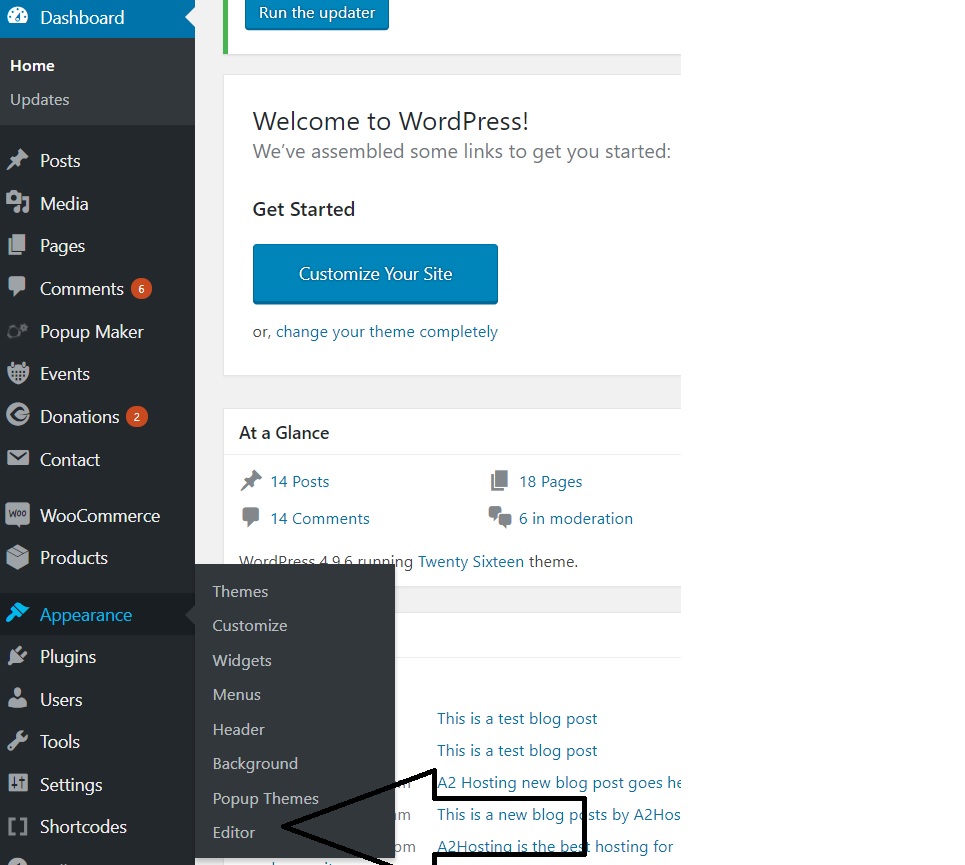
2. On the **Dashboard** in the left sidebar, click **Appearance**, and then click **Editor**:\
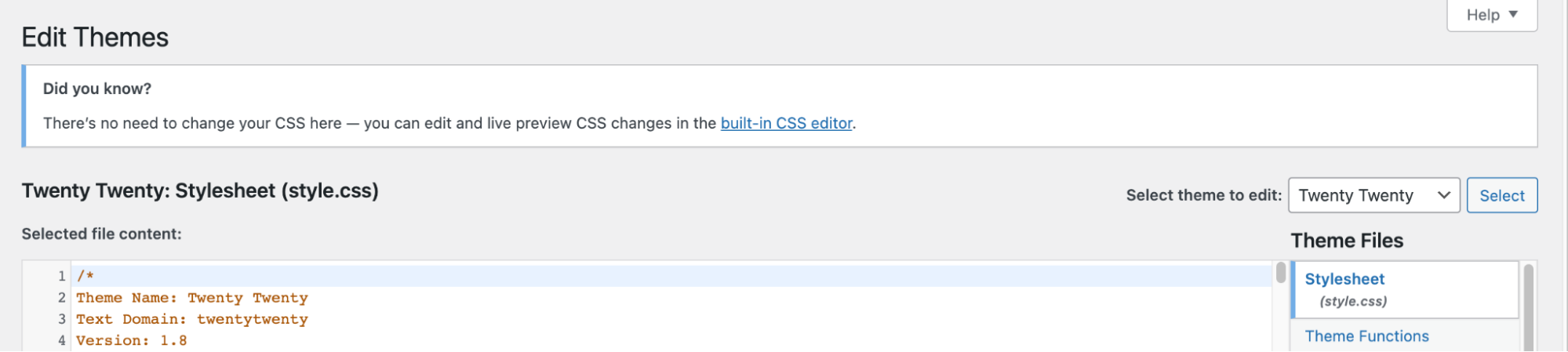
3. On the **Theme Editor**, select the **Theme** you want to edit from the dropdown:\
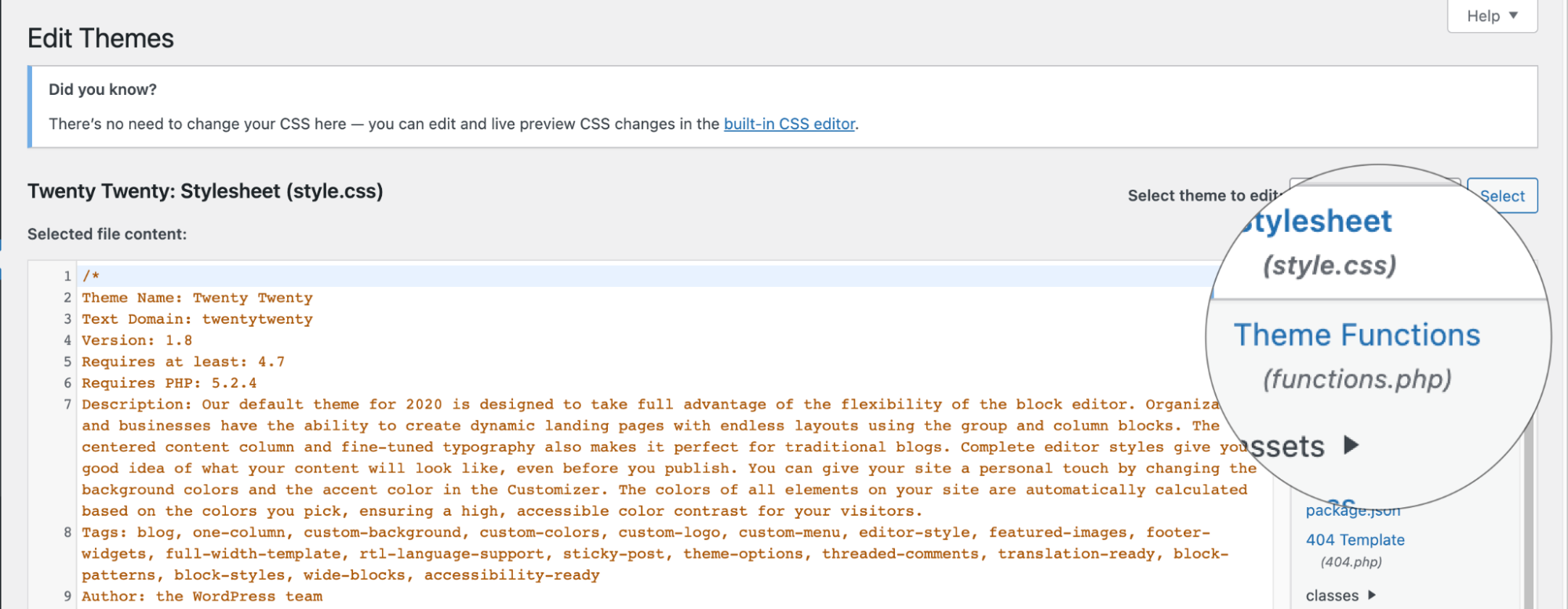
4. The files for this selected theme are listed on the right column under **Theme Files**. Click on the file named "**functions.php**":\
5. Insert the following code to the end of functions.php file and click Update File Button to save the changes:
```javascript theme={null}
function copyright($start_year, $site_name) {
$year = date('Y');
echo "© Copyright ";
echo $start_year;
if($start_year!= $year) echo "-$year";
echo ", $site_name, All Rights Reserved.";
}
```
6. Click on the file named "footer.php" and insert the following code in the file:
```
```
In the above code, "2021" refers to the start year of your site which is going to be hardcoded.
## Related articles
* [Copyright statement in WordPress](/docs/copyright-statement-in-wordpress)