> ## Documentation Index
> Fetch the complete documentation index at: https://kb.hosting.com/llms.txt
> Use this file to discover all available pages before exploring further.
# Adding a heading menu item in Joomla
> Discover how to add menu item headings in Joomla to organize links and images. Follow our step-by-step guide using Joomla's menu settings.
Menu item heading can provide a way to separate links with images or text in a menu. It also can be used to give a title to a group of links or allow a short description before each link or group of links. This article shows you how to add a menu item heading to your website powered by [Joomla](https://hosting.com/hosting/platforms/joomla-hosting).
## Creating a new heading menu item in Joomla
To configure a new heading menu item, follow these steps:
1. Log in to your Joomla site with an administrator account.
2. On the top bar, click on **Menus**, and then click on **Main Menu**. Next click on **Add New Menu Item**: 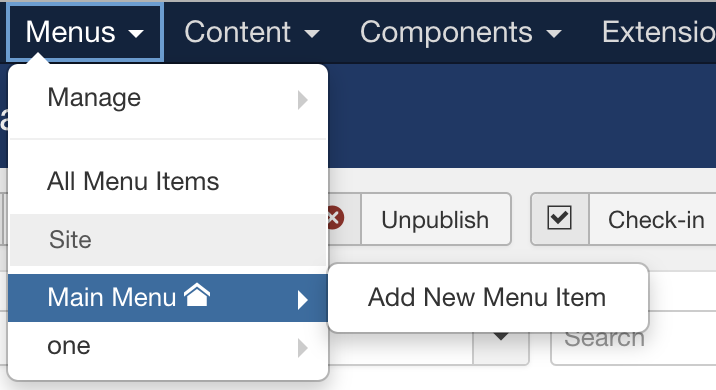 3. On the **Menu Item Manager** page, click **New** to add a new **Menu Heading**:
***
4. Enter a name for the Menu title:
***
5. Click on the **Select,** and then click on **System Links**, then on **Menu Heading** on the available selection for **Menu Item Type**:
3. On the **Menu Item Manager** page, click **New** to add a new **Menu Heading**:
***
4. Enter a name for the Menu title:
***
5. Click on the **Select,** and then click on **System Links**, then on **Menu Heading** on the available selection for **Menu Item Type**: 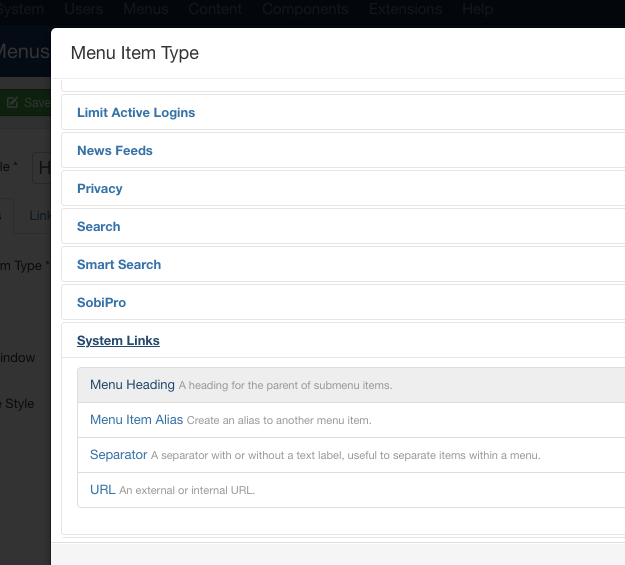 6. Change the **Status** to **Published** and finally click on **Save** to save the changes:
***
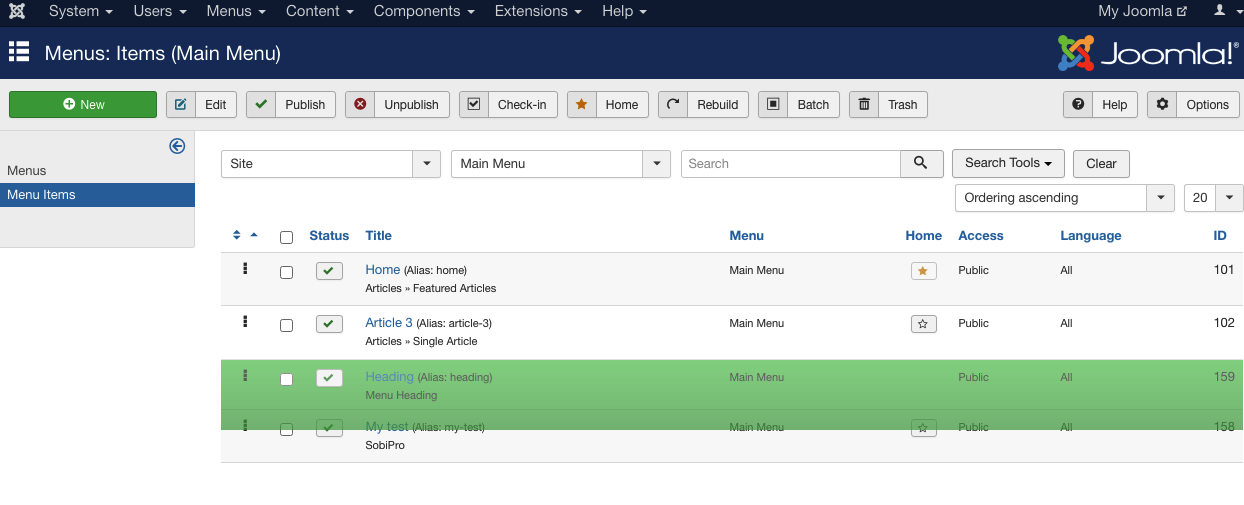
7. Click on the created new Menu Heading to move the location, if required:\\
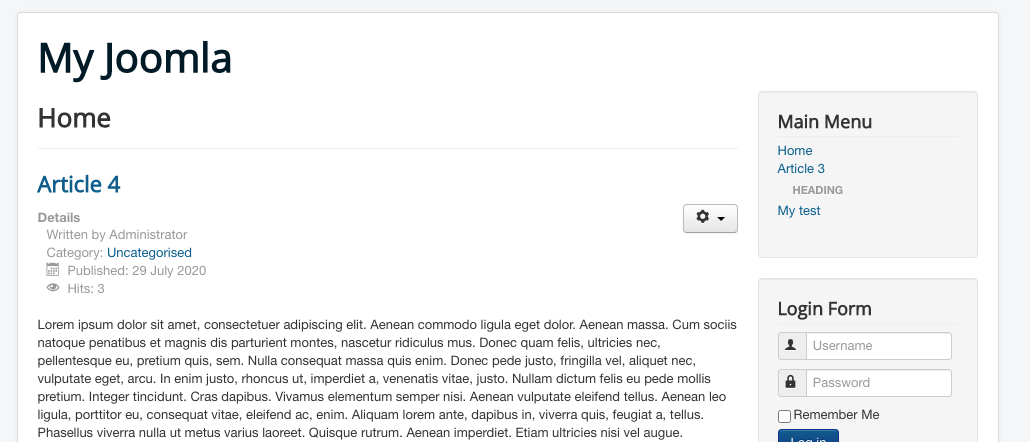
8. Save and **Preview** the Menu Heading on Joomla Site:\\
## More information
For more information on Heading Menu Item, please visit the following link: [https://docs.joomla.org/Help39:Menus\_Menu\_Item\_Menu\_Item\_Heading](https://docs.joomla.org/Help39:Menus_Menu_Item_Menu_Item_Heading)
## Related articles
* [Article slider in Joomla](/docs/article-slider-in-joomla)
* [Enabling caching for Joomla on Turbo servers](/docs/enabling-caching-for-joomla-on-turbo-web-hosting)
* [Enabling SSL for Joomla](/docs/enabling-ssl-for-joomla)
6. Change the **Status** to **Published** and finally click on **Save** to save the changes:
***
7. Click on the created new Menu Heading to move the location, if required:\\

8. Save and **Preview** the Menu Heading on Joomla Site:\\

## More information
For more information on Heading Menu Item, please visit the following link: [https://docs.joomla.org/Help39:Menus\_Menu\_Item\_Menu\_Item\_Heading](https://docs.joomla.org/Help39:Menus_Menu_Item_Menu_Item_Heading)
## Related articles
* [Article slider in Joomla](/docs/article-slider-in-joomla)
* [Enabling caching for Joomla on Turbo servers](/docs/enabling-caching-for-joomla-on-turbo-web-hosting)
* [Enabling SSL for Joomla](/docs/enabling-ssl-for-joomla)