> ## Documentation Index
> Fetch the complete documentation index at: https://kb.hosting.com/llms.txt
> Use this file to discover all available pages before exploring further.
# Requesting Google to review hacked sites and remove 'Deceptive Site Ahead' warning
> Discover how to request a Google review to remove the 'Deceptive Site Ahead' warning from a hacked site.
Google blacklists your website if it suspects it contains malware or misleading content and is being used for phishing attacks. It warns users who visit the site with a 'Deceptive Site Ahead' warning, informing them that the site they are visiting poses a security risk.If your site displays a dangerous warning near the address bar and a red screen with a 'Deceptive Site Ahead' warning, you must take the necessary steps to remove the security threats before notifying Google to review and remove the deceptive site ahead warning.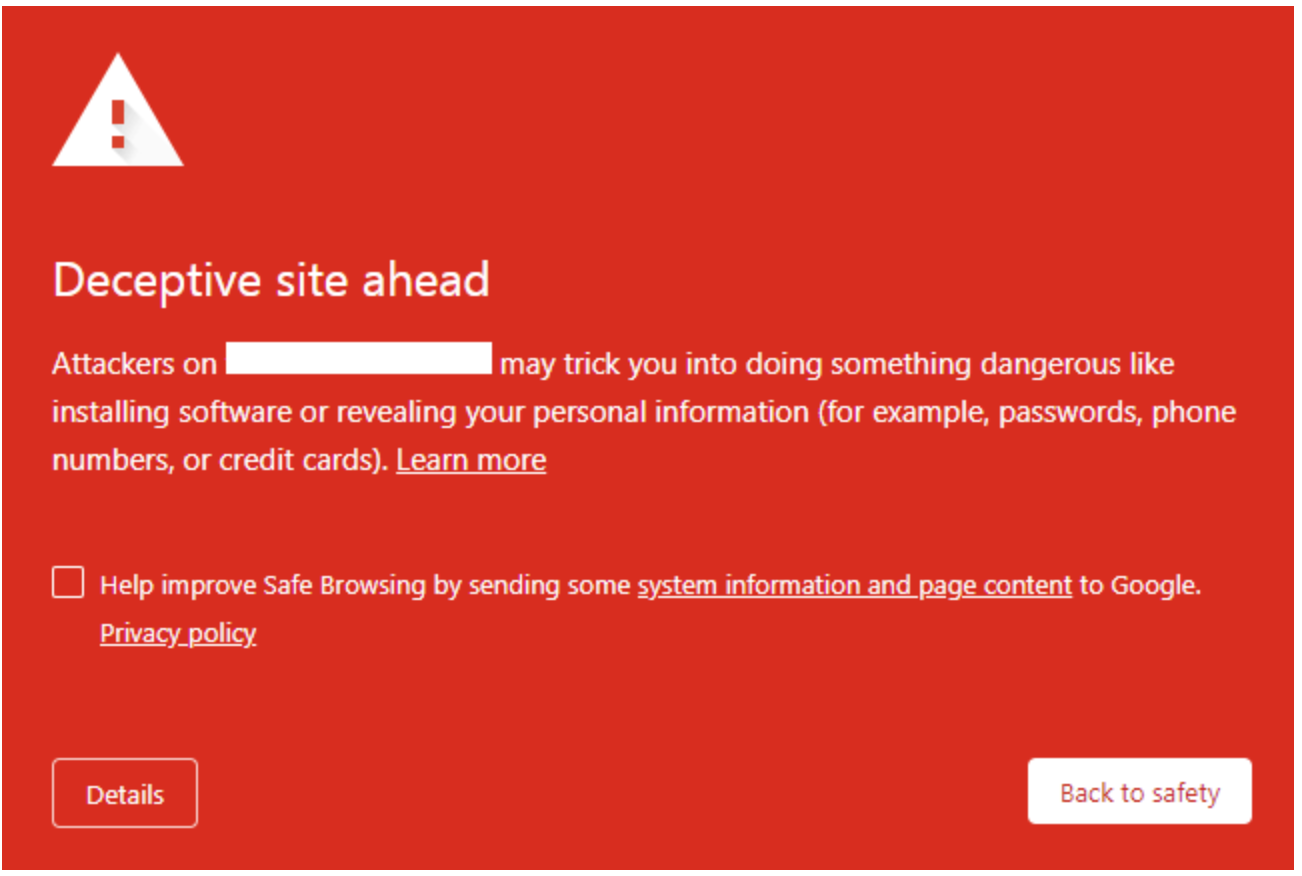 This article explains how to request Google to review and remove the Deceptive Site Ahead warning from your website.
## Requesting Google to review hacked sites and remove the Deceptive Site Ahead’ warning
To request Google to review a hacked site, follow these steps:
1. Login to the Google Search Console account using your administrator account.
2. On the Dashboard in the left sidebar, navigate to the **Security issues** tab.
3. Scroll down and check the box, **I have fixed these issues** and click on the Request a Review button:\\
This article explains how to request Google to review and remove the Deceptive Site Ahead warning from your website.
## Requesting Google to review hacked sites and remove the Deceptive Site Ahead’ warning
To request Google to review a hacked site, follow these steps:
1. Login to the Google Search Console account using your administrator account.
2. On the Dashboard in the left sidebar, navigate to the **Security issues** tab.
3. Scroll down and check the box, **I have fixed these issues** and click on the Request a Review button:\\
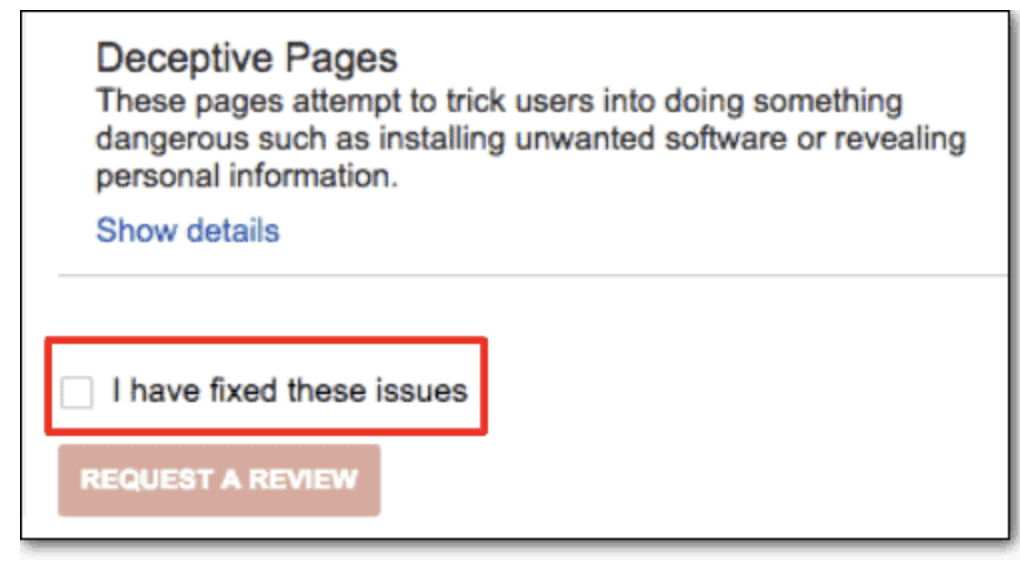 Image Source: [https://www.malcare.com/blog/deceptive-site-ahead/](https://www.malcare.com/blog/deceptive-site-ahead/)
4. Provide all the relevant information and steps taken to resolve the security issues found on your side:\\
Image Source: [https://www.malcare.com/blog/deceptive-site-ahead/](https://www.malcare.com/blog/deceptive-site-ahead/)
4. Provide all the relevant information and steps taken to resolve the security issues found on your side:\\
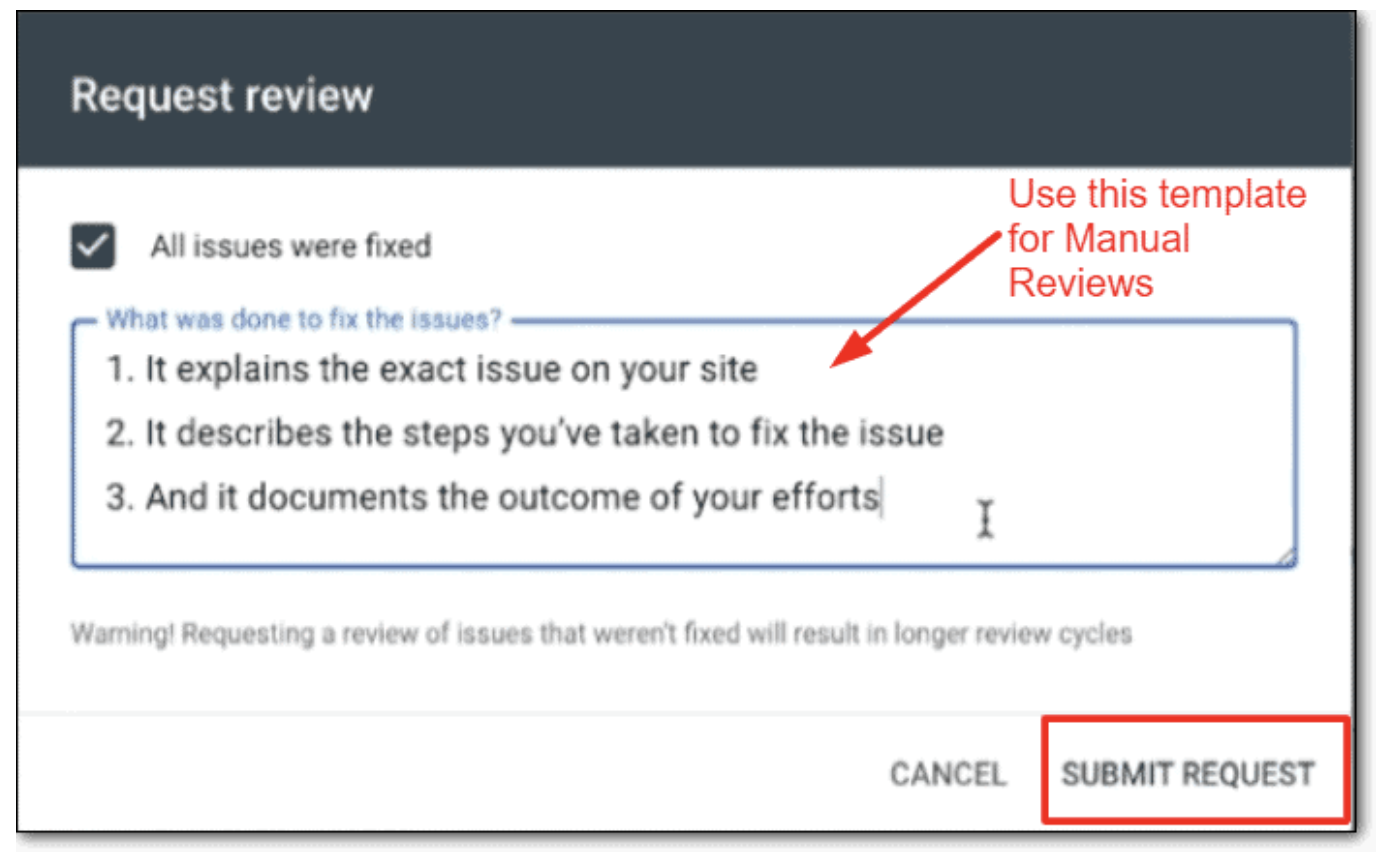 Image Source: [https://www.malcare.com/blog/deceptive-site-ahead/](https://www.malcare.com/blog/deceptive-site-ahead/)
5. Review request processing might take a few days and till then the Chrome Deceptive Site Ahead warning will remain on your site.
## Related articles
* [Generating Google reCAPTCHA keys for site security](/docs/obtaining-google-recaptcha-site-key-and-secret-key)
* [WordPress security](/docs/wordpress-security)
Image Source: [https://www.malcare.com/blog/deceptive-site-ahead/](https://www.malcare.com/blog/deceptive-site-ahead/)
5. Review request processing might take a few days and till then the Chrome Deceptive Site Ahead warning will remain on your site.
## Related articles
* [Generating Google reCAPTCHA keys for site security](/docs/obtaining-google-recaptcha-site-key-and-secret-key)
* [WordPress security](/docs/wordpress-security)