> ## Documentation Index
> Fetch the complete documentation index at: https://kb.hosting.com/llms.txt
> Use this file to discover all available pages before exploring further.
# Changing OpenCart administration dashboard language
> Administrators can change the language of the OpenCart administration dashboard. Learn how to change the language of the OpenCart Administration Dashboard.
Administrators can customise the language of the [OpenCart](https://hosting.com/hosting/platforms/opencart-hosting/) administration dashboard. This article explains how to change the language of the OpenCart Administration Dashboard
## Changing OpenCart’s administration dashboard language
Note: OpenCart is only configured with one language by default; please see this\
[article](/docs/adding-a-language-pack-in-opencart) to install a new language pack.
To change the language of the administration dashboard, follow these steps:
Note: This change will only affect the Administration dashboard language
1. Log into OpenCart as an administrator.
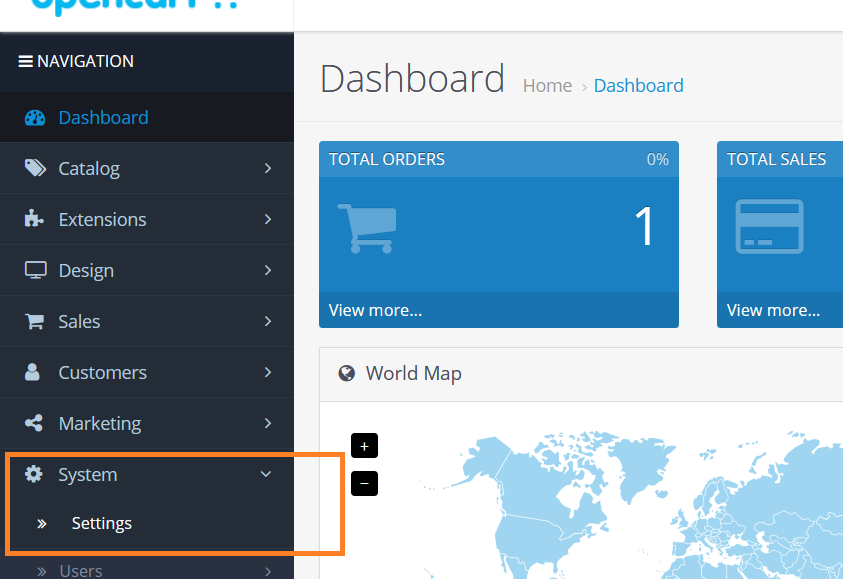
2. On the **Dashboard** in the left sidebar, click **System**, and then click **Settings**:\\
3. In the stores list, click **Edit** on the store to change the administration’s display language:\\

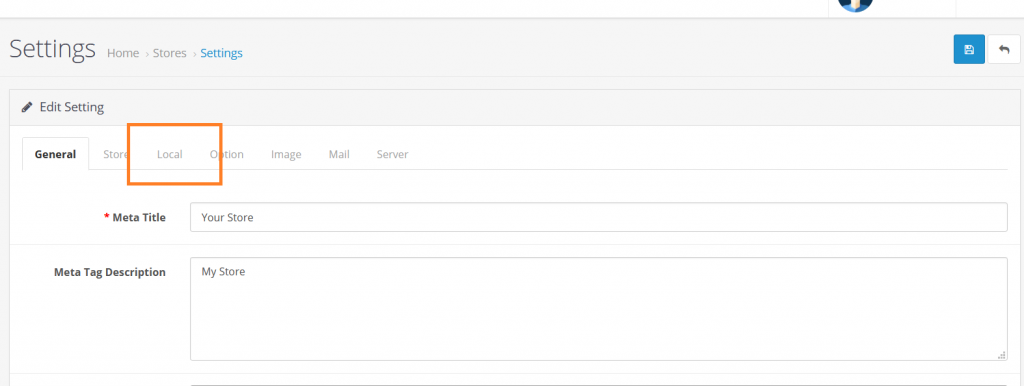
4. Select the **Local** tab on the settings page:\\
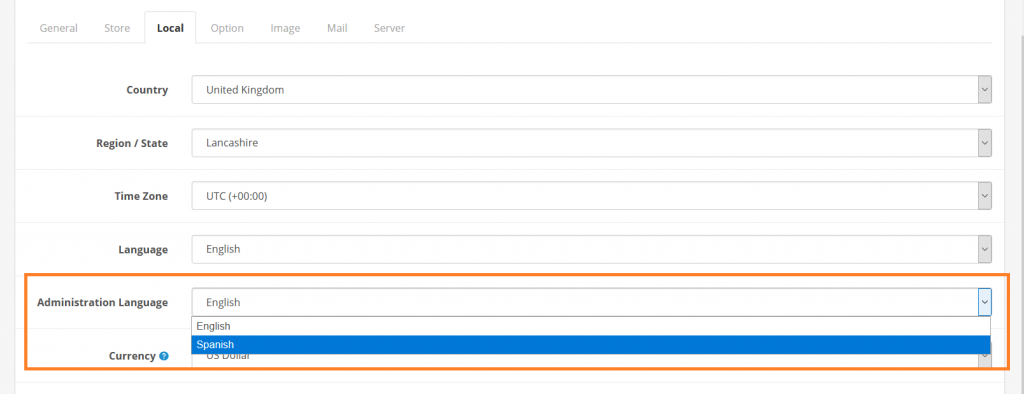
5. Select the dashboard display language from **Administration Language** list, and then click **Save** to save the changes:\\

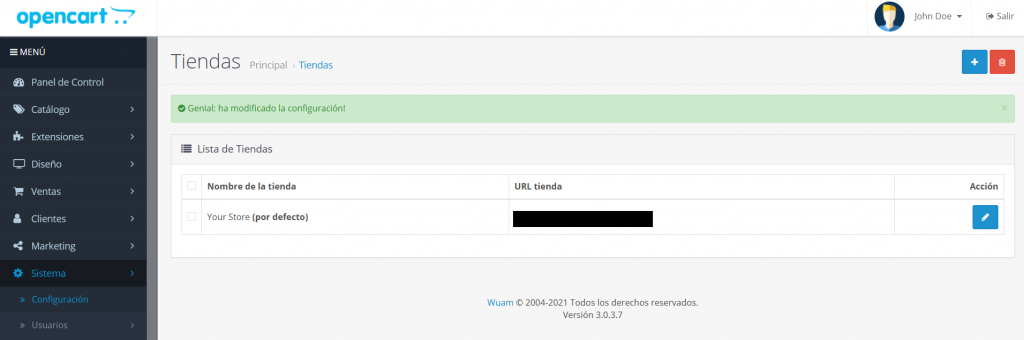
6. The default language for Administration Dashboard will be changed accordingly:\\
Note: This change will only affect the Administration dashboard language
## More information
For more information about language packs, please visit: [https://docs.opencart.com/](https://docs.opencart.com/)
## Related articles
* [Adding a language pack in OpenCart](/docs/adding-a-language-pack-in-opencart)
* [Adding Privacy Policy in OpenCart](/docs/adding-privacy-policy-in-opencart)
* [Configuring marketing emails in OpenCart](/docs/configuring-marketing-emails-in-opencart)
* [Display store hours in OpenCart](/docs/display-store-hours-in-opencart)
* [OpenCart](/docs/opencart1)