.jpg?fit=max&auto=format&n=E2LlsT5gBITvo732&q=85&s=ec11e1673894bdf46663a5d73602eb87)
Getting Started - Building your first Website with AI
Log In & Navigate to AI Applications
Log in to your client area. In the left-hand navigation panel, click AI Applications, then click the ”+ New Application” button in the top-right corner of the page.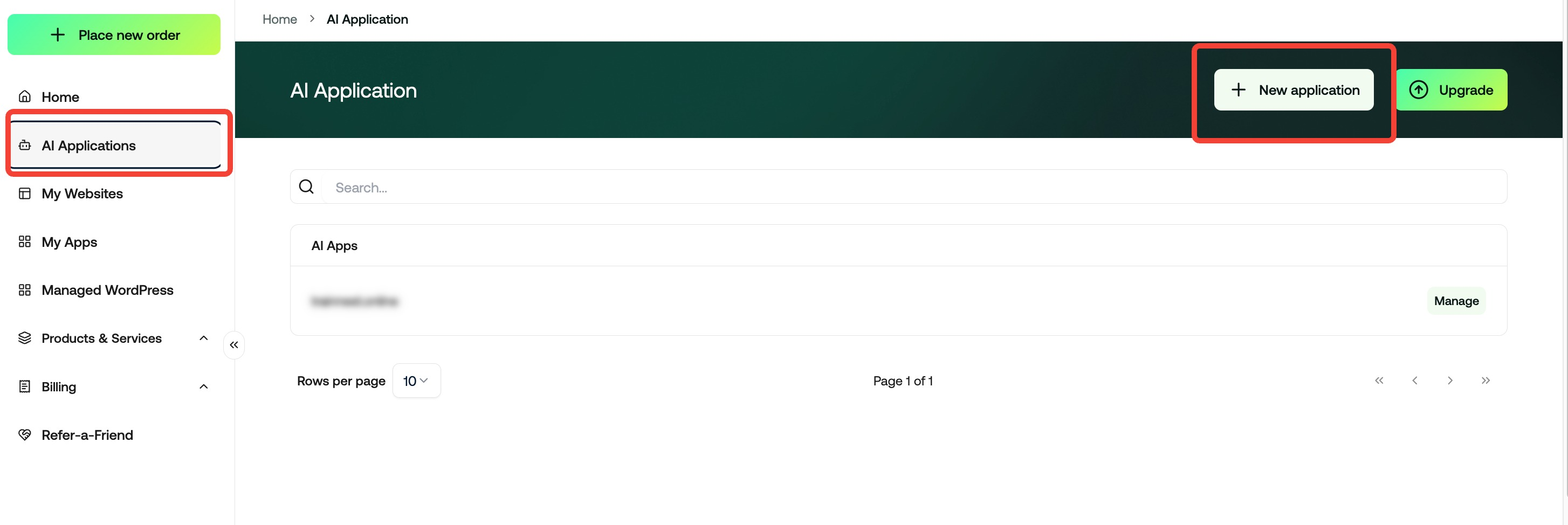
Choose Your Path
Select the Right Builder for Your Project
A dialog will appear with two options. Choose the one that best fits your project: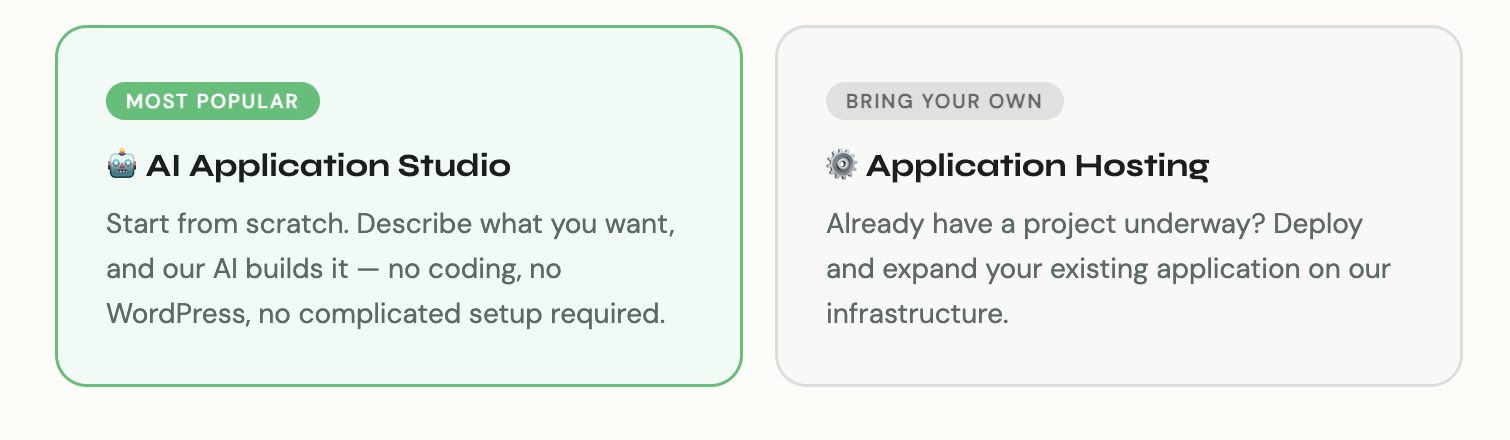
Tip: First time building a site for a client? Go with AI Application Studio — it’s the fastest path from zero to a live website.
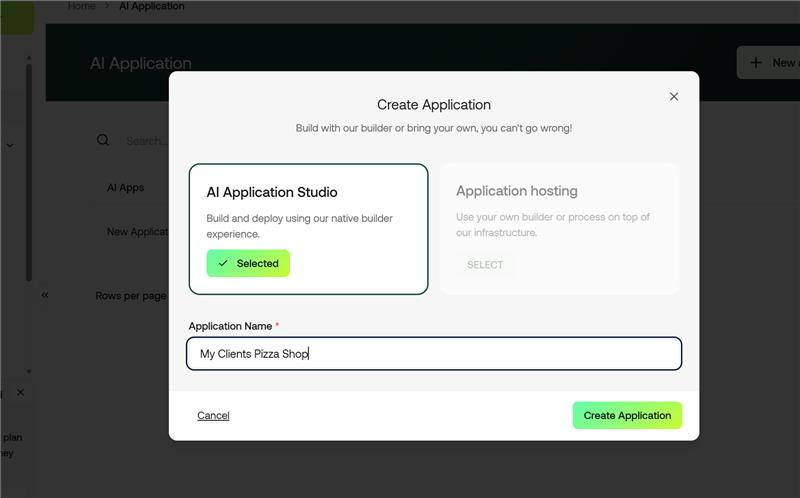
Give your application a name (e.g., “My Client’s Pizza Shop”) and click Create Application.
The Magic Moment
Describe Your Vision — Watch It Come to Life
Once inside the AI Application Studio, simply describe what you want built. It’s that straightforward. In our example, we typed:“I’m a pizza shop — build me a pizza shop website.” One command. One complete, fully-designed website.
The AI handles everything: layout, sections, imagery, menus, copy, and styling. When you’re satisfied with the result, hit Publish to make it live.
Ongoing Management
Making Changes Is Just as Easy
Running a business means things change — and updating your site should never be a headache. Need to swap out a menu item or update a price? Just tell the AI what you need.In our example: “We no longer sell Margherita Pizza — replace it with a Double Cheese. Also, White Truffle is now on sale for $15.99.” Done. Both changes were live in seconds.
Go Live
Publish & Point Your Domain
Ready to go live? It’s a single step. Click the Publish button in the top-right corner of the editor. Then, point your domain (or your client’s domain) to the provided CNAME record — and that’s it. Your new site is live on the web.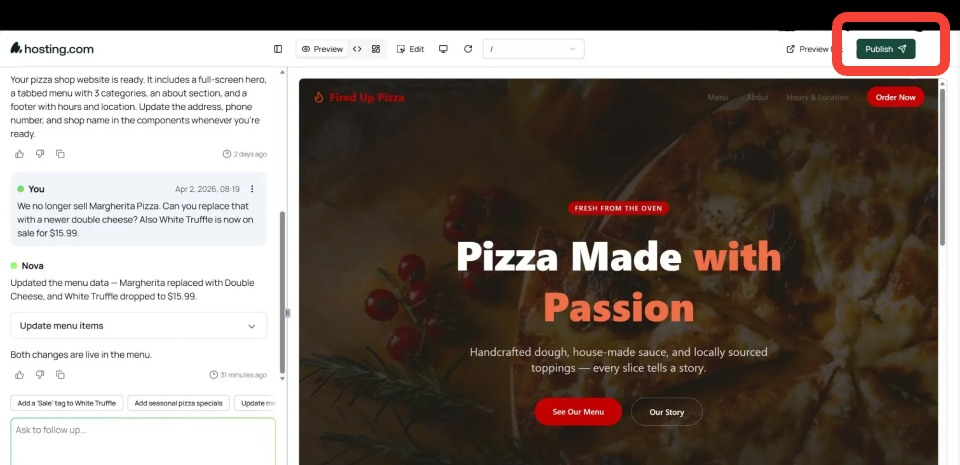
That’s the complete workflow — from a blank slate to a fully published, professional website. No code. No plugins. No design degree required.
PRO TIP: For resellers, simply log into your WHM account and create the cPanel you want to use for your new website. Have the domains DNS point to your server as you would with any other domain of yours. The only difference is that now, you would create a CNAME record inside of the DNS manager to activate the new AI website you built! (We can help you with this!)