.jpg?fit=max&auto=format&n=E2LlsT5gBITvo732&q=85&s=ec11e1673894bdf46663a5d73602eb87)

Excluding WordPress pages from search result
Follow the steps below to edit your Theme setting file to exclude pages from search in WordPress:- Log in to your WordPress site with an administrator account.
-
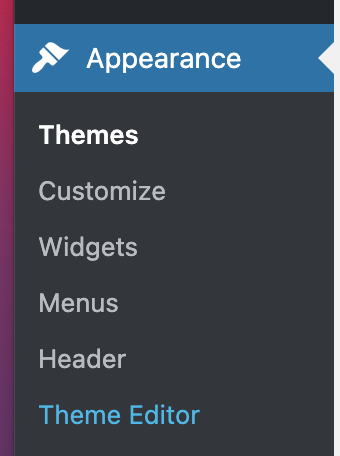
On the Dashboard in the left sidebar, click Appearance, and then click Theme Editor:
-
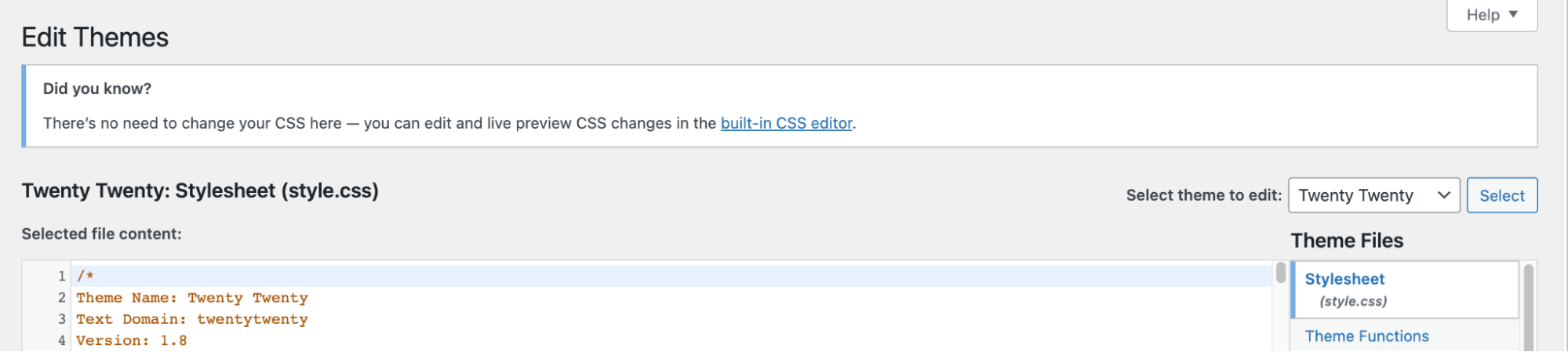
On the Theme Editor, select the Theme you want to edit from the dropdown:
-
The files for this selected theme are listed on the right column under Theme Files. Click on the file named “functions.php”:
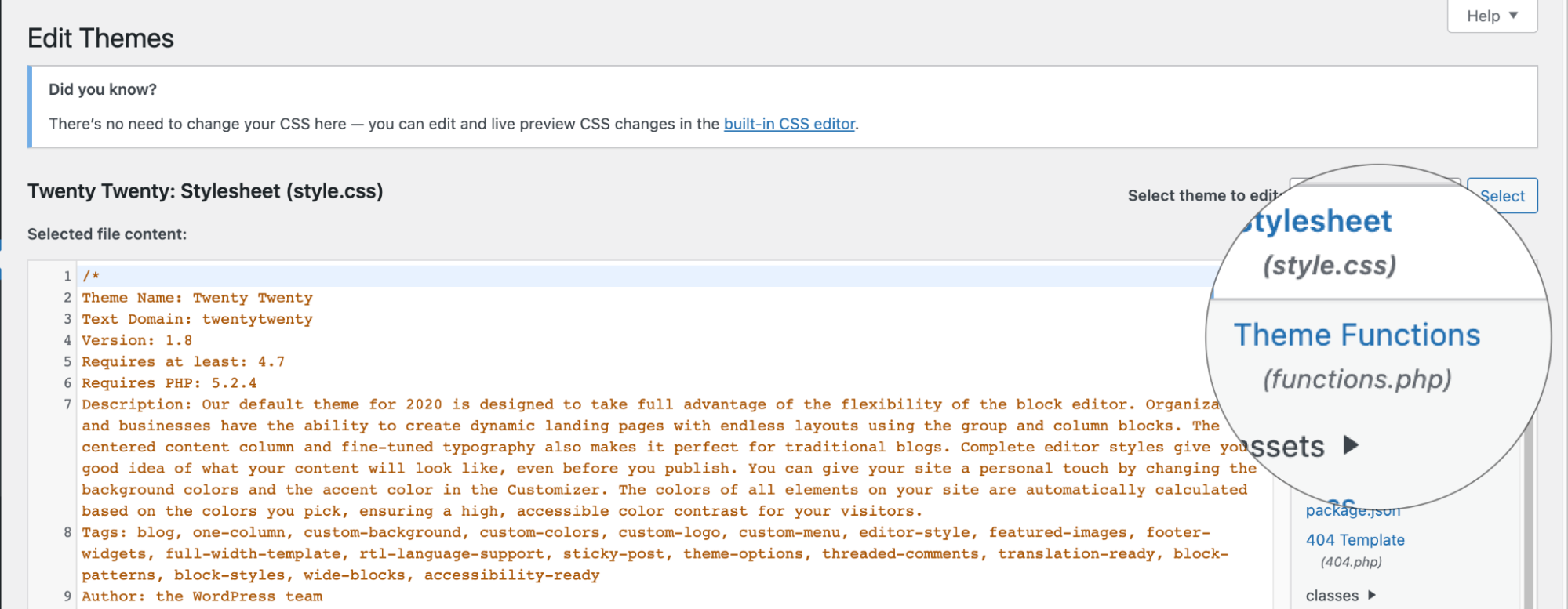
- Insert the following code to the end of functions.php file and click Update File Button to save the changes:
- The code above will exclude pages from WordPress search results. The pre_get_posts hook filters the search result. In this code the filter condition is set post_type to post, which limits search to only posts from the WordPress site