.jpg?fit=max&auto=format&n=E2LlsT5gBITvo732&q=85&s=ec11e1673894bdf46663a5d73602eb87)
Disabling automatic generation of the robots.txt file
To prevent the server from automatically generating a robots.txt file in the document root directory, follow these steps:-
Log in to cPanel.
📘 Note If you do not know how to log in to your cPanel account, please see this article.
-
In the FILES section of the cPanel home screen, click the File Manager icon:

- In the left sidebar, click the public_html folder.
-
On the top menu bar, click + File:

-
In the New File dialog box, in the New File Name text box, type
robots.txt.ignore:
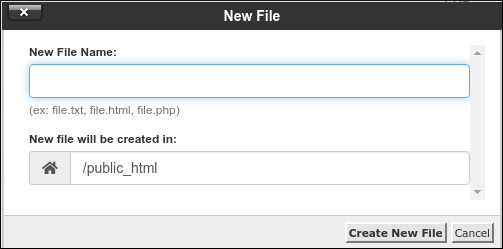
- Confirm that the New file will be created in text box is set to /public_html.
- Click Create New File. Automatic generation of the robots.txt file is now disabled.