.jpg?fit=max&auto=format&n=E2LlsT5gBITvo732&q=85&s=ec11e1673894bdf46663a5d73602eb87)
Clearing the webmail cache
To clear the cache in the webmail interface, follow these steps:- Log in to your webmail account at https://hostingcom.titan.email.
-
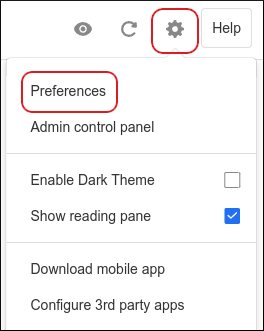
Click the Settings (gear) icon, and then click Preferences:
-
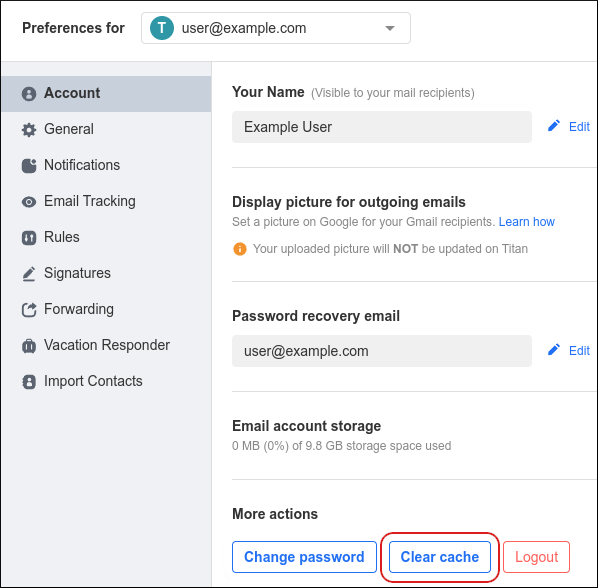
In the Account section, under More actions, click Clear cache: