.jpg?fit=max&auto=format&n=E2LlsT5gBITvo732&q=85&s=ec11e1673894bdf46663a5d73602eb87)
- Import messages from a Gmail account.
- Forward messages to a Gmail account.
Importing messages from a Gmail account
You can import messages from a Gmail account. When you do this, all new messages are received in your Professional Email account. To import your messages from a Gmail account, follow these steps:- Log in to your Professional Email account at https://webmail.hosting.com/
-
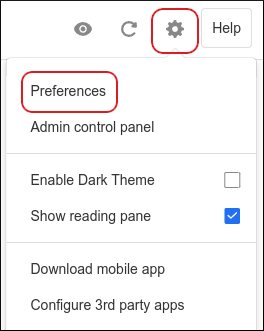
Click the Settings (gear) icon, and then click Preferences:
-
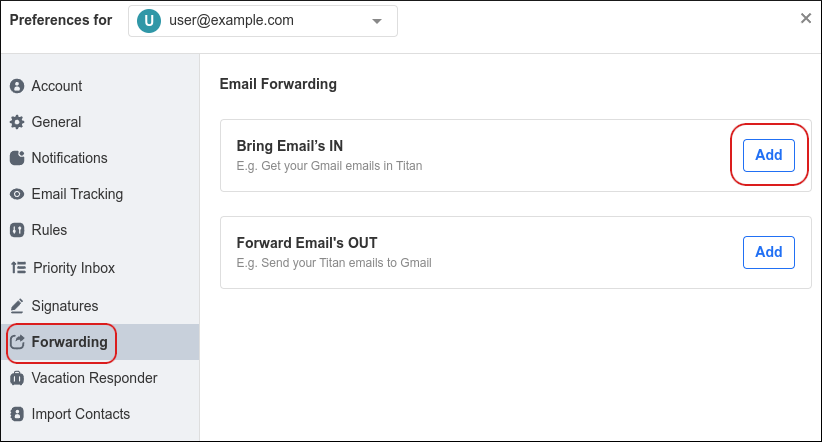
Click Forwarding, and then in the Bring Emails IN section, click Add:
-
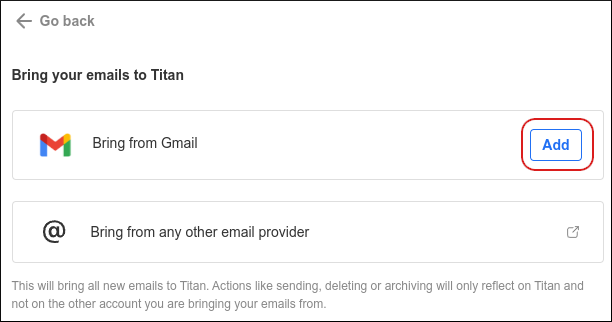
In the Bring from Gmail section, click Add:
-
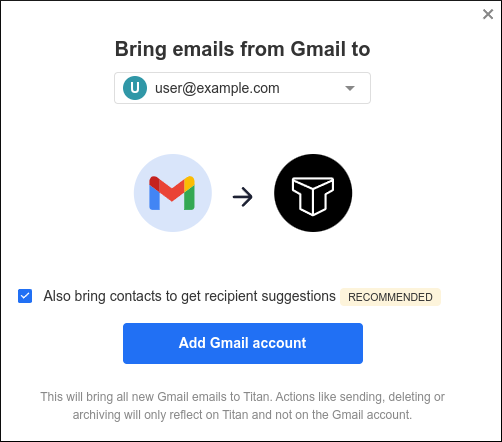
Click Add Gmail account:
Note
If you also want to import your Gmail contacts, select the Also bring contacts to get recipient suggestions check box. - Click Continue.
- Click the Gmail account to import, select all of the check boxes, and then click Continue.
- When the import is complete, you receive a Your Gmail folder is ready! message. Click Got it.
-
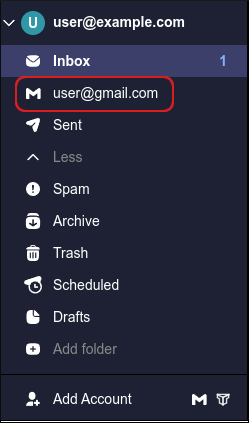
In the left sidebar, click the Gmail account to access it:
Forwarding messages to a Gmail account
To forward your messages to a Gmail account, follow these steps:- Log in to your Professional Email account at https://webmail.hosting.com/
-
Click the Settings (gear) icon, and then click Preferences:
-
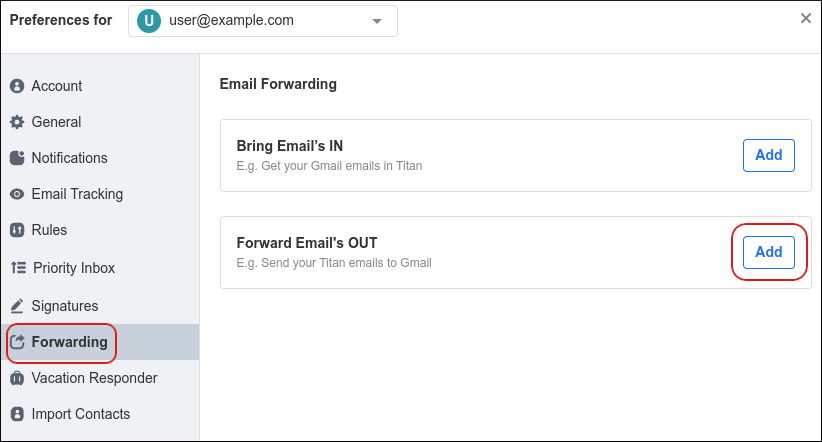
Click Forwarding, and then in the Forward Emails OUT section, click Add:
-
In the Forward emails to text box, type the destination Gmail address:
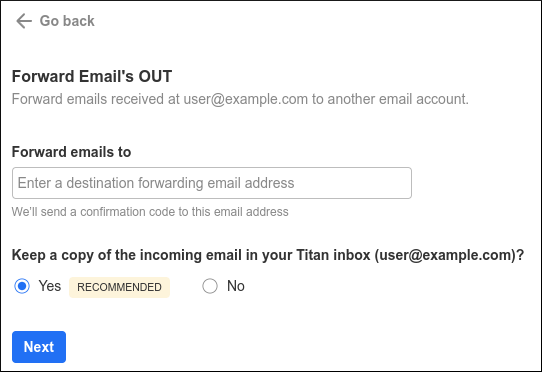
- To keep a copy of forwarded messages in your inbox, click Yes. Otherwise, click No.
-
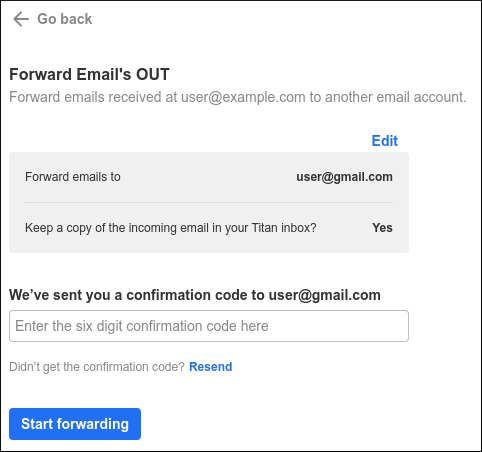
Click Next. You should receive a message with a confirmation code at the Gmail account. Type the confirmation code in the text box, and then click Start forwarding:
Note
If you do not receive the code at your Gmail account, click Resend . - Email forwarding to Gmail is now configured. To disable forwarding to Gmail at any time, click Stop forwarding.
More information
For more information about importing Gmail messages, please visit https://support.titan.email/hc/en-us/articles/4402160928793-Forward-emails-from-Gmail-to-Titan-Mail.Related articles
- Importing contacts into Professional Email accounts
- Changing your password for Professional Email accounts
- Managing email signatures for Professional Email accounts
- Managing your email in Professional Email webmail