.jpg?fit=max&auto=format&n=E2LlsT5gBITvo732&q=85&s=ec11e1673894bdf46663a5d73602eb87)

Changing OpenCart’s administration dashboard language
Note: OpenCart is only configured with one language by default; please see this
article to install a new language pack.
article to install a new language pack.
Note: This change will only affect the Administration dashboard language
- Log into OpenCart as an administrator.
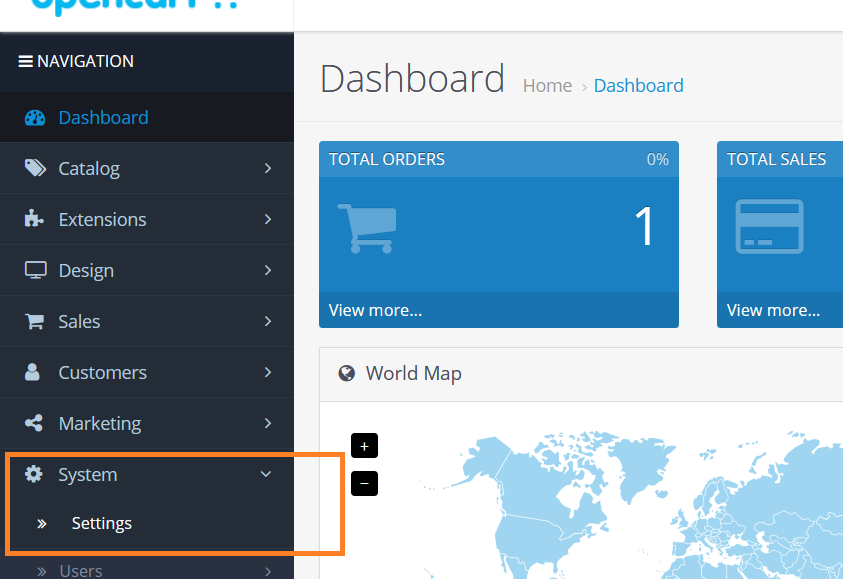
- On the Dashboard in the left sidebar, click System, and then click Settings:\
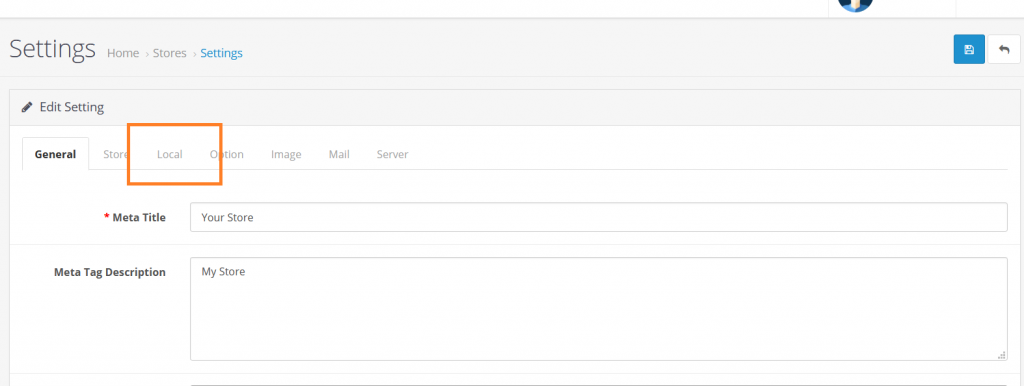
- In the stores list, click Edit on the store to change the administration’s display language:\

- Select the Local tab on the settings page:\
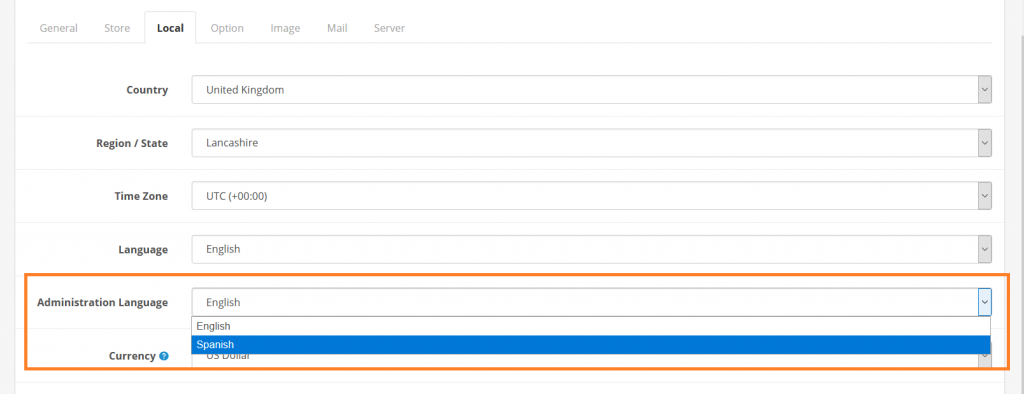
- Select the dashboard display language from Administration Language list, and then click Save to save the changes:\

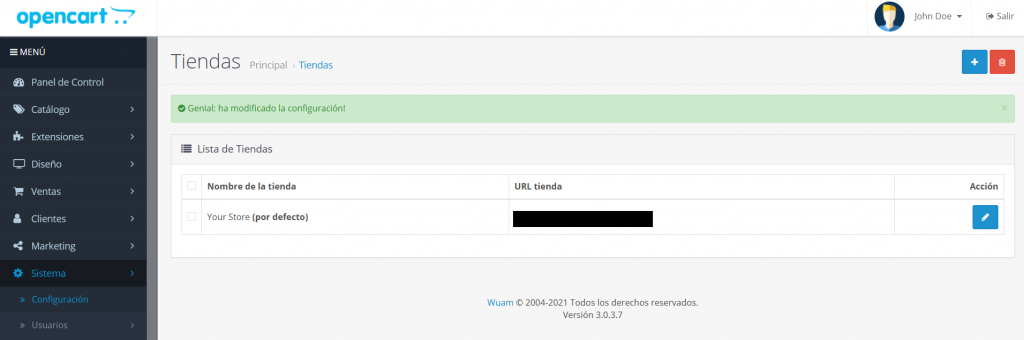
- The default language for Administration Dashboard will be changed accordingly:\
Note: This change will only affect the Administration dashboard language