.jpg?fit=max&auto=format&n=E2LlsT5gBITvo732&q=85&s=ec11e1673894bdf46663a5d73602eb87)
Downloading the language pack from OpenCart Marketplace
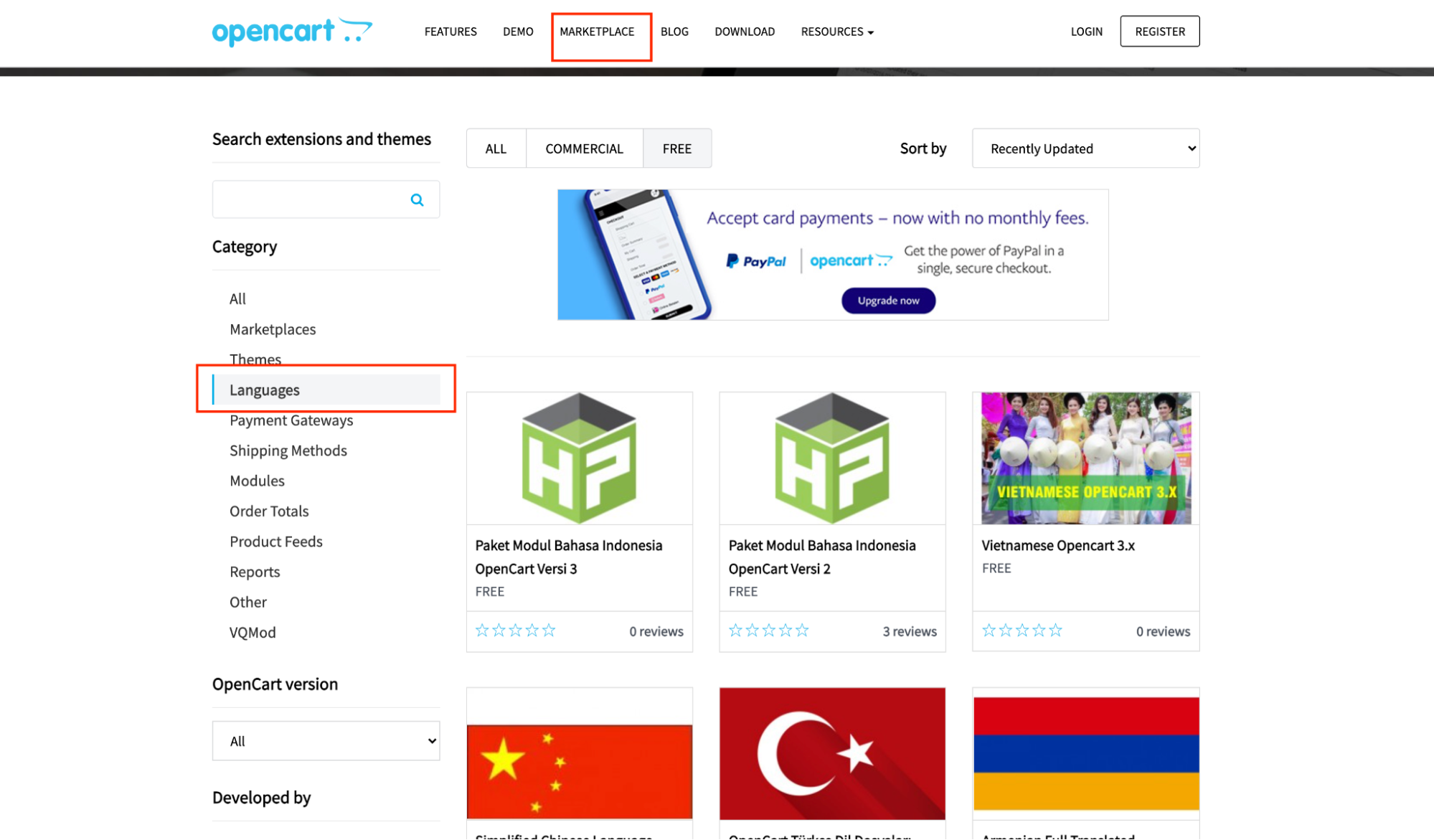
To download a language pack from OpenCart Marketplace, follow these steps:- Create an account at opencart.com, access the OpenCart MarketPlace, and then download the language pack extension:\
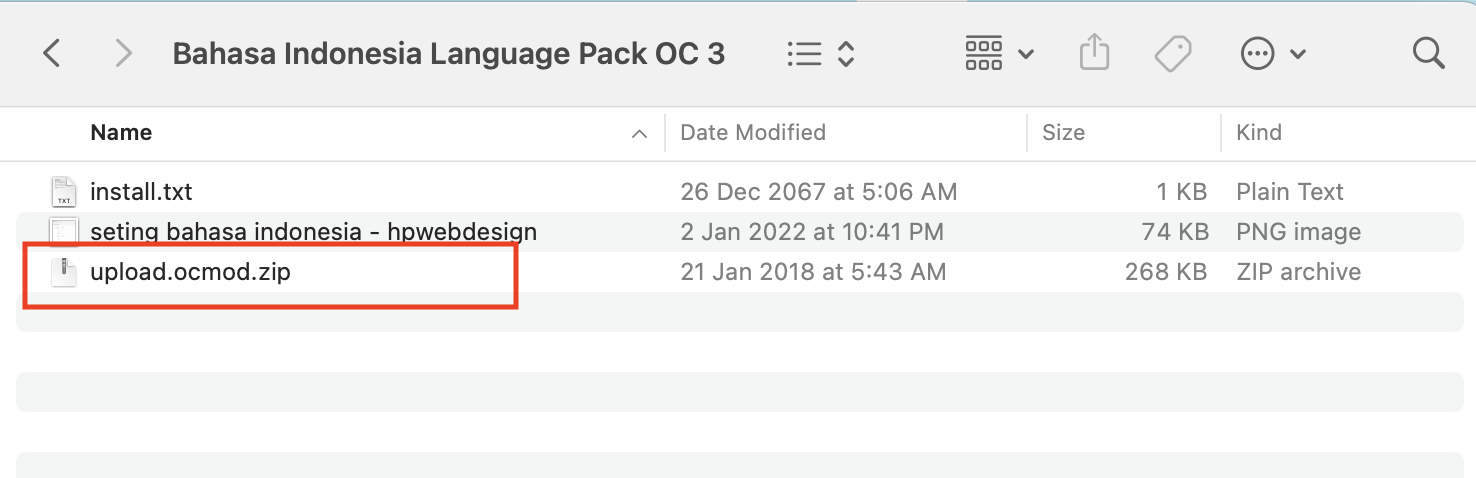
- Unzip the folder, you will only need the *.ocmod.zip to install the language extension:\
Installing language pack in OpenCart
To install a language pack in OpenCart, follow these steps:- Log into OpenCart as an administrator.
- On the Dashboard in the left sidebar, click Extensions, and then click Installer:\
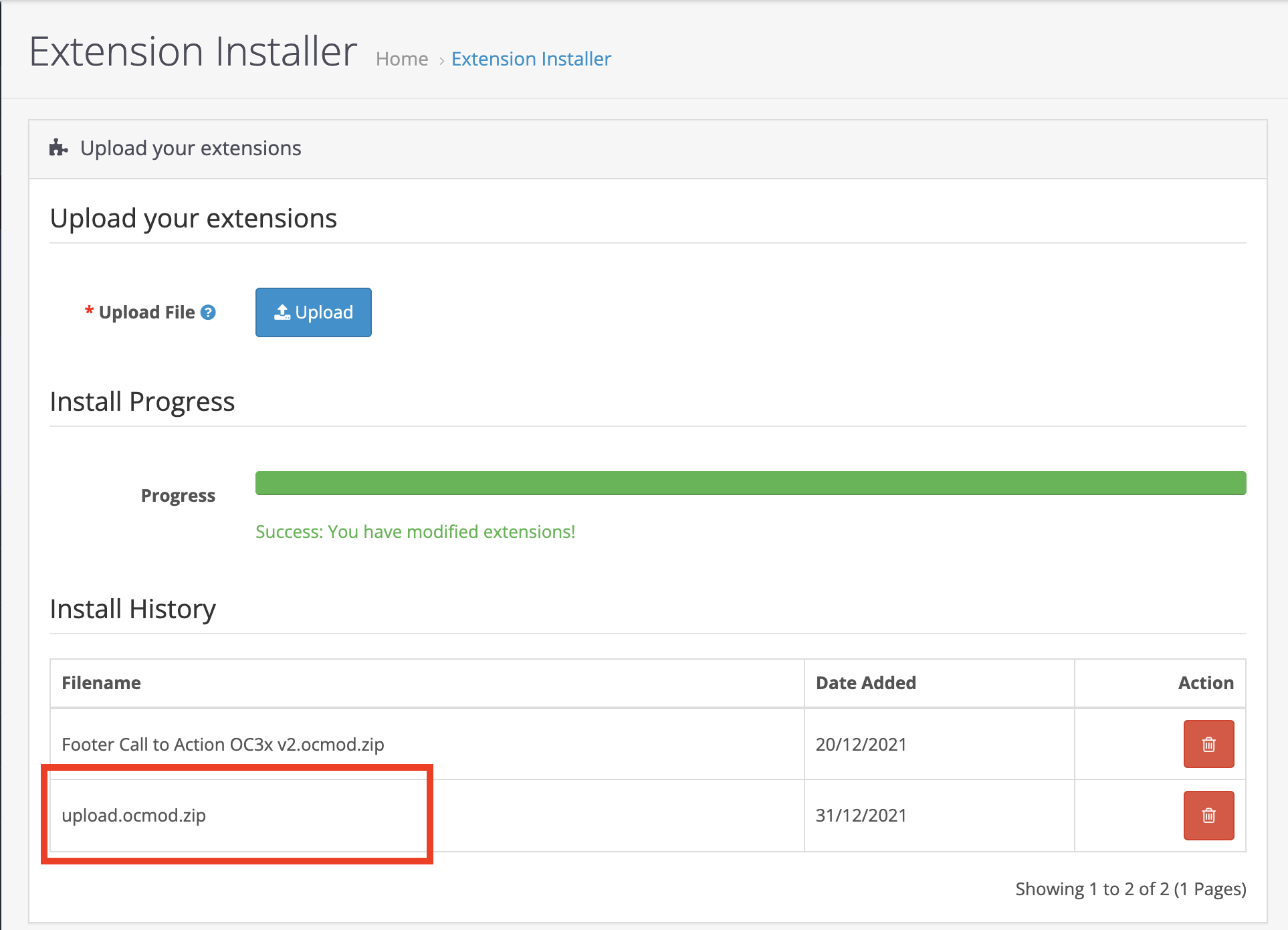
- Select and upload *.ocmod.zip language extension pack from Downloading the language pack from OpenCart Marketplace:Step 2, and wait for the process to finish:\
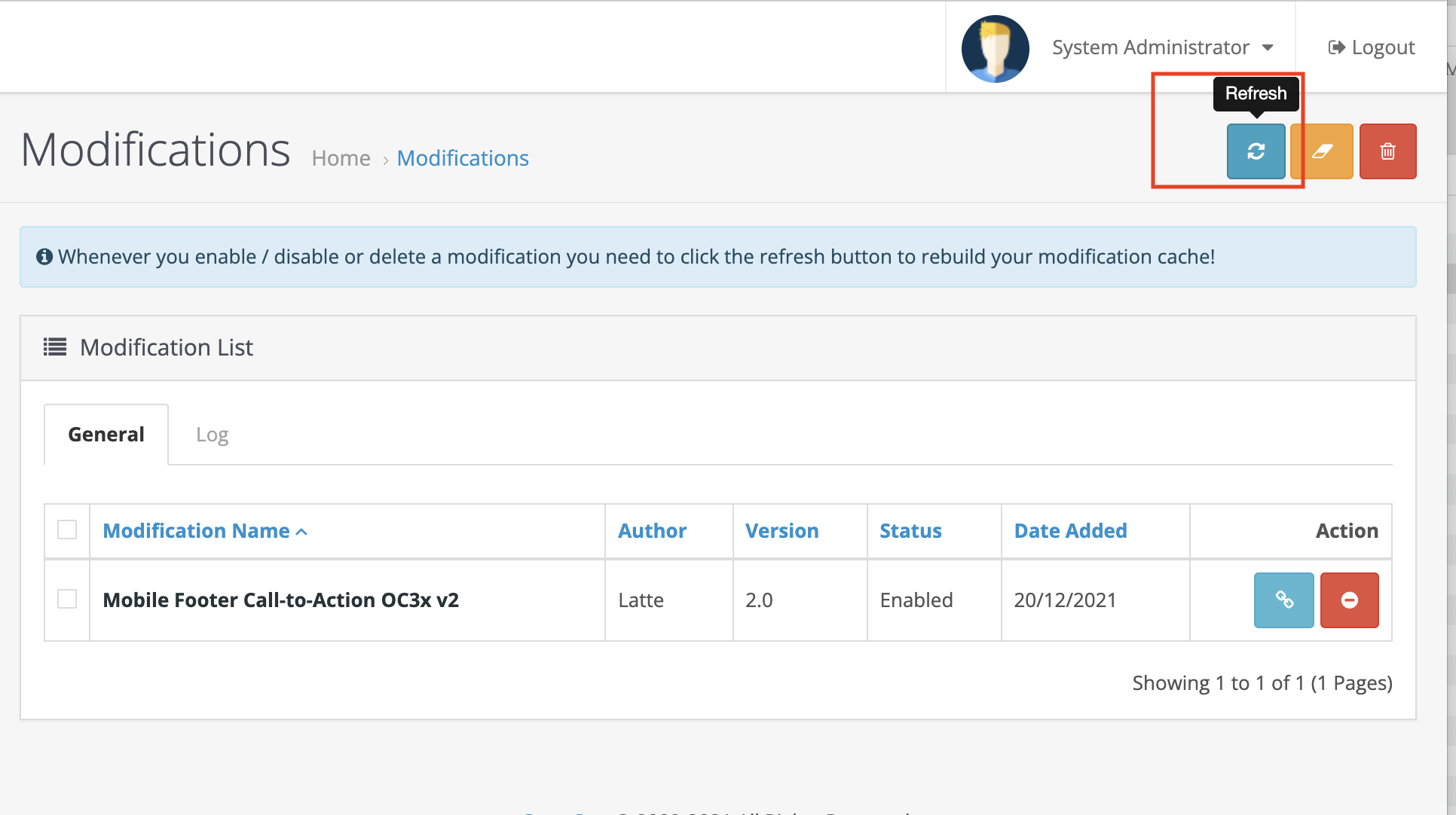
- Click on refresh to rebuild the modification cache:\
Configuring language pack in OpenCart
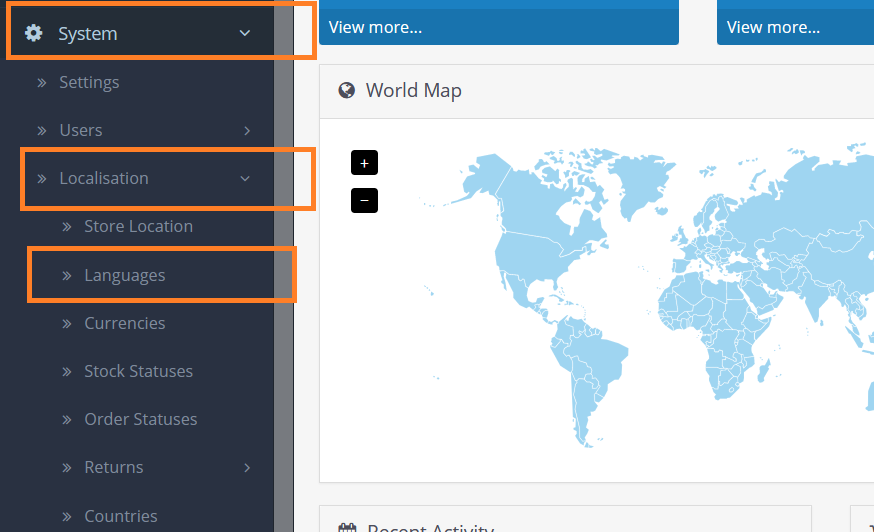
To configure the downloaded language pack, follow these steps:- On the Dashboard in the left sidebar, click Localisation, and then click Languages:\
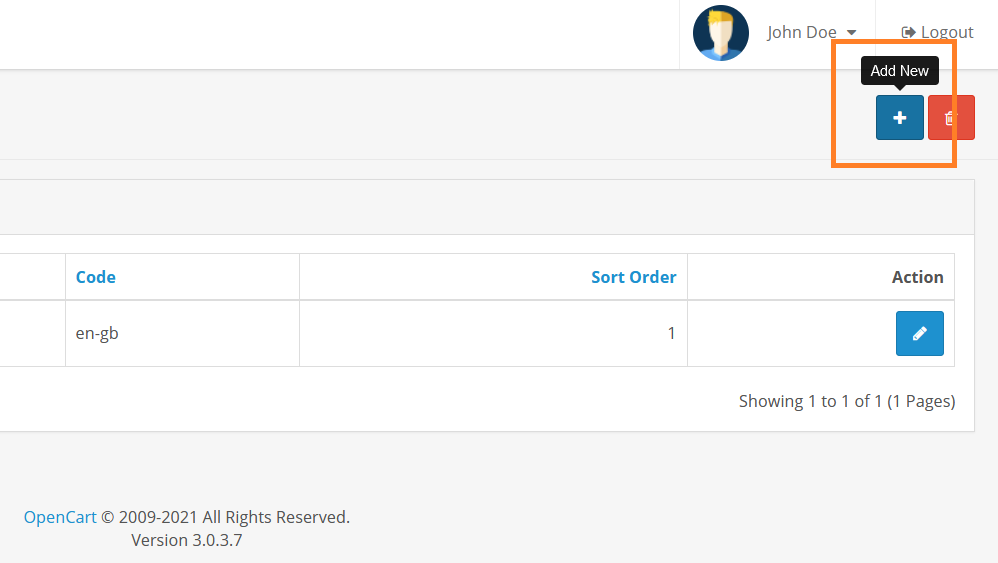
- To add the installed language, click on the Add New button:\
- Fill in the language name, code, locale, set its status, and save the changes:\
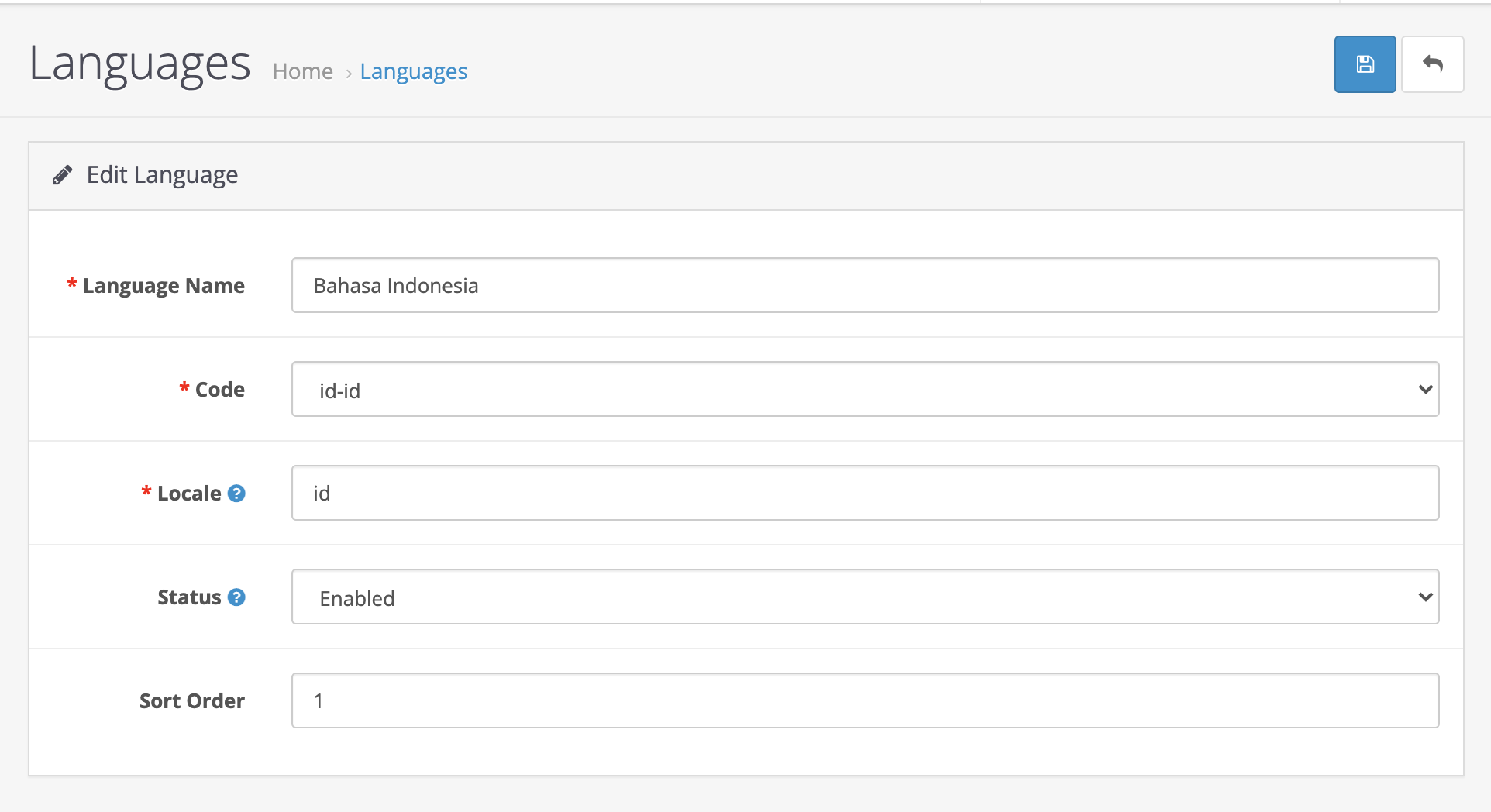
Note: If you need help with the Locale, please visit https://developer.chrome.com/docs/extensions/reference/api/i18n
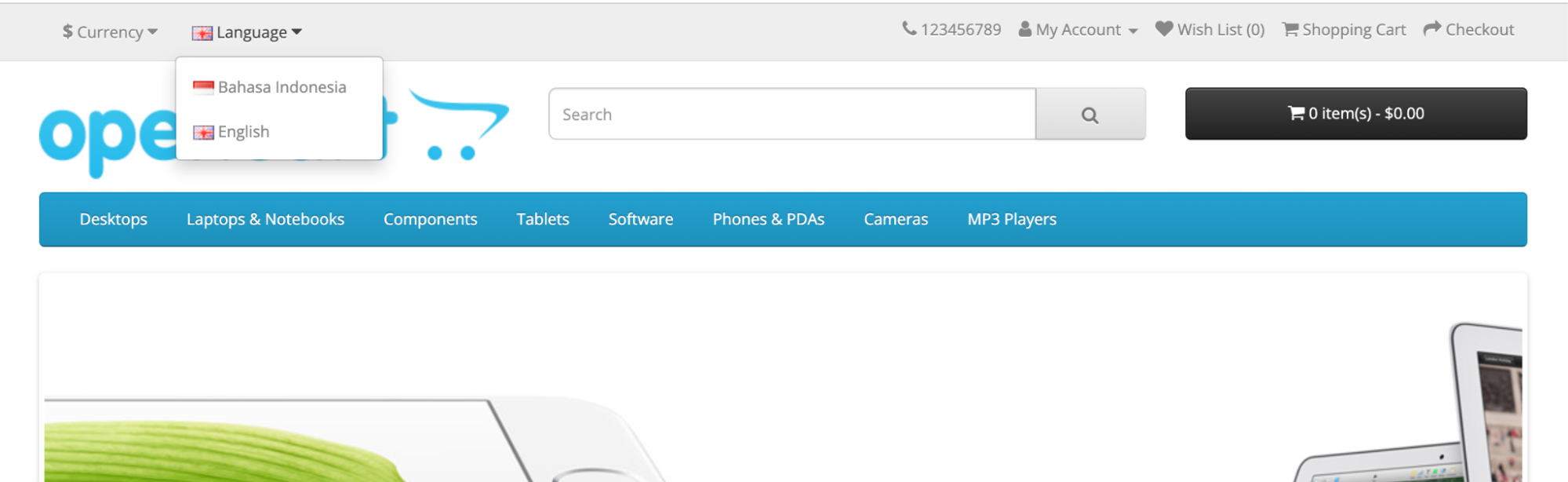
- Your store will display a select language dropdown that will let your customers set their preferred language:\