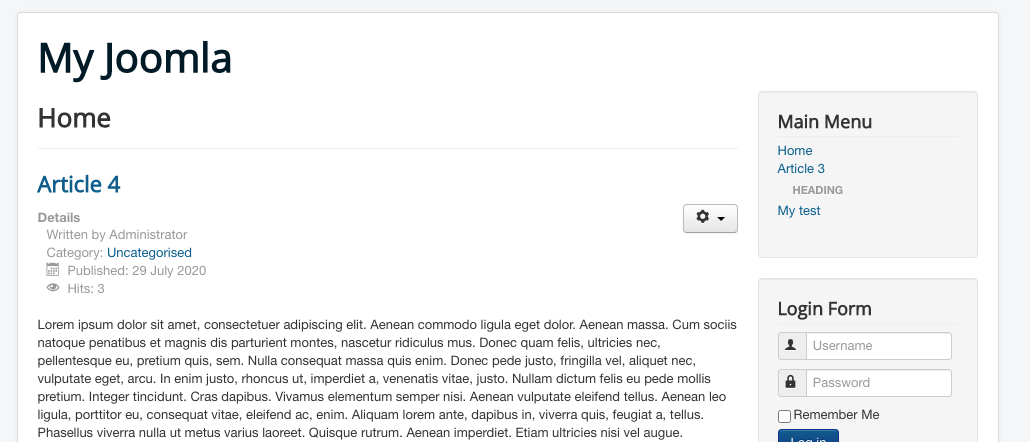
.jpg?fit=max&auto=format&n=E2LlsT5gBITvo732&q=85&s=ec11e1673894bdf46663a5d73602eb87)

Creating a new heading menu item in Joomla
To configure a new heading menu item, follow these steps:- Log in to your Joomla site with an administrator account.
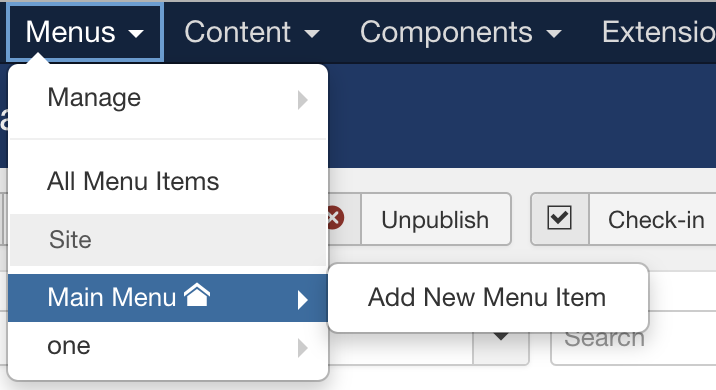
- On the top bar, click on Menus, and then click on Main Menu. Next click on Add New Menu Item:
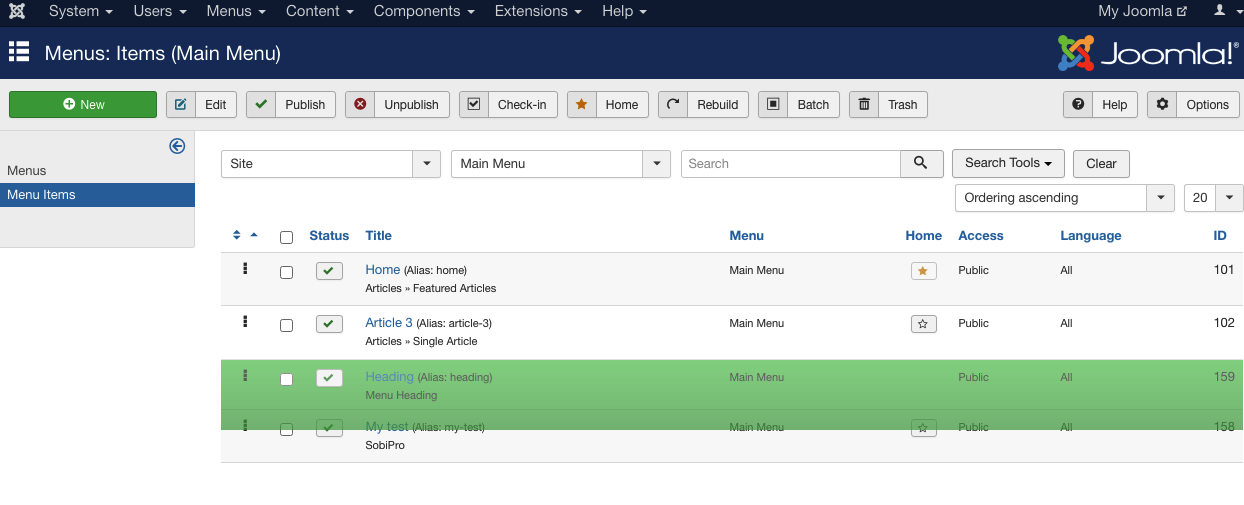
- On the Menu Item Manager page, click New to add a new Menu Heading:
- Enter a name for the Menu title:
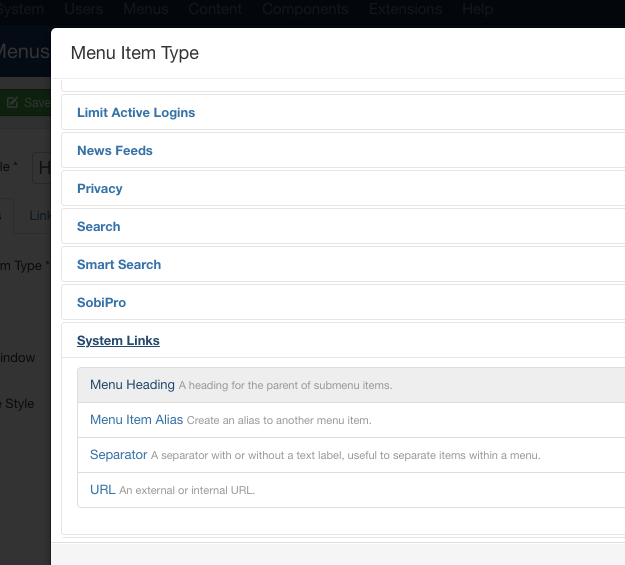
- Click on the Select, and then click on System Links, then on Menu Heading on the available selection for Menu Item Type:
- Change the Status to Published and finally click on Save to save the changes:
- Click on the created new Menu Heading to move the location, if required:\
- Save and Preview the Menu Heading on Joomla Site:\