Managing FTP accounts
To manage your FTP accounts, follow these steps:- Log in to your Enhance Control Panel
-
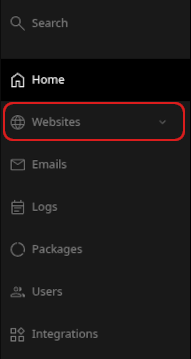
When the control panel appears, in the left sidebar, click Websites:
- On the Manage websites page, click the website you want to manage.
-
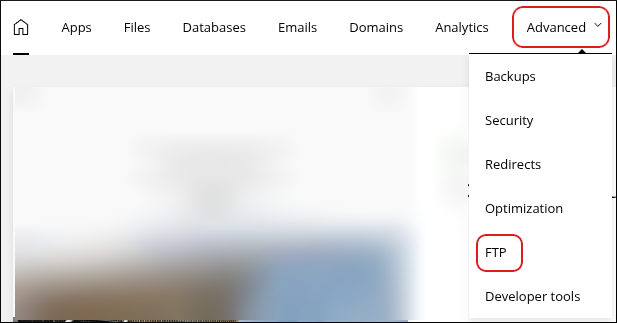
A list of tabs appears at the top of the page. Click the Advanced tab, and then click FTP:
-
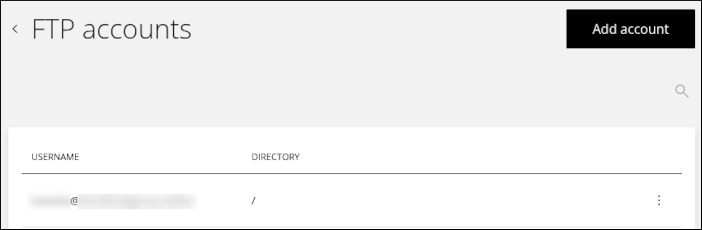
The FTP accounts page appears:
-
To add an account, click Add account. The Add FTP account dialog appears:
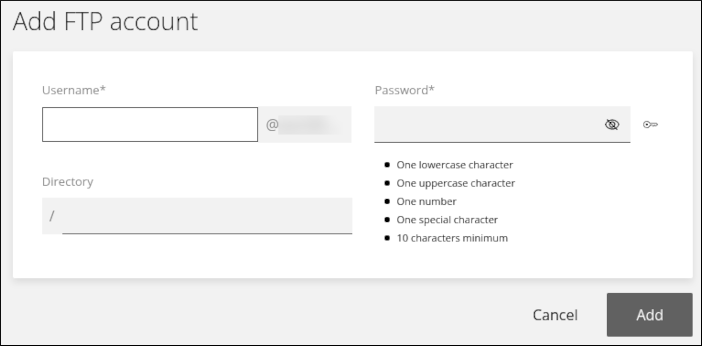
- In the Username text box, type the FTP username you want for the account.
- In the Password text box, type the FTP password you want for the account.
- In the Directory text box, optionally specify a different directory for the account.
- Click Add. The account appears in the list of FTP accounts.
-
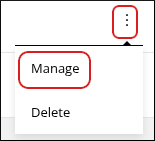
To modify an existing account, click the three-dot icon in the list of accounts, and then click Manage:
-
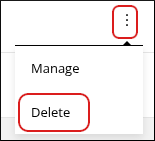
To delete an existing account, click the three-dot icon in the list of accounts, and then click Delete: