.jpg?fit=max&auto=format&n=E2LlsT5gBITvo732&q=85&s=ec11e1673894bdf46663a5d73602eb87)

Clearing the Cloudflare cache
To clear the Cloudflare cache, follow these steps:- Log in to Cloudflare with your Cloudflare account.
-
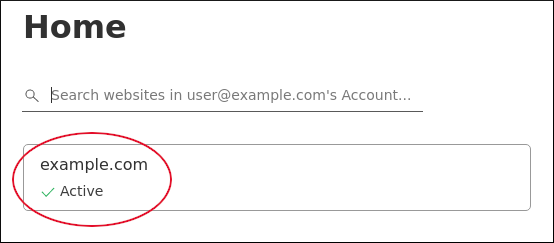
In the left sidebar, click Websites, and then click your domain name (for example, example.com ):
-
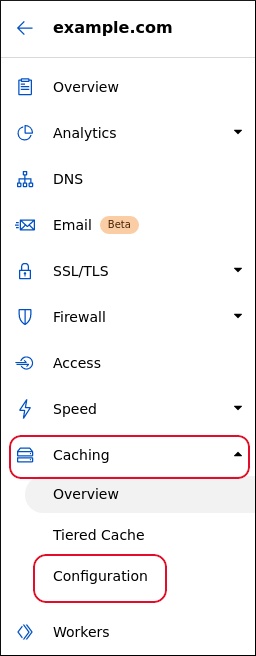
In the left sidebar, click Caching, and then click Configuration:
-
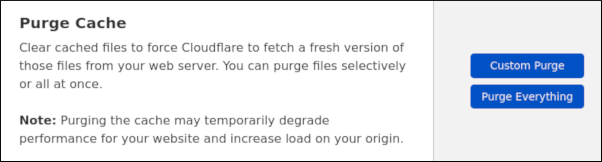
On the Caching Configuration page, under Purge Cache, are the cache clearing options:
-
To clear the entire cache at once, click Purge Everything, and then click Purge Everything again to confirm.
📘 Note It can take up to 30 seconds for Cloudflare to finish clearing the cache.
- To selectively clear the cache, click Custom Purge. In the text box, type the complete URL (or multiple URLs) that you want to clear from the cache, and then click Purge.