.jpg?fit=max&auto=format&n=E2LlsT5gBITvo732&q=85&s=ec11e1673894bdf46663a5d73602eb87)
- Log in to WordPress as the administrator.
-
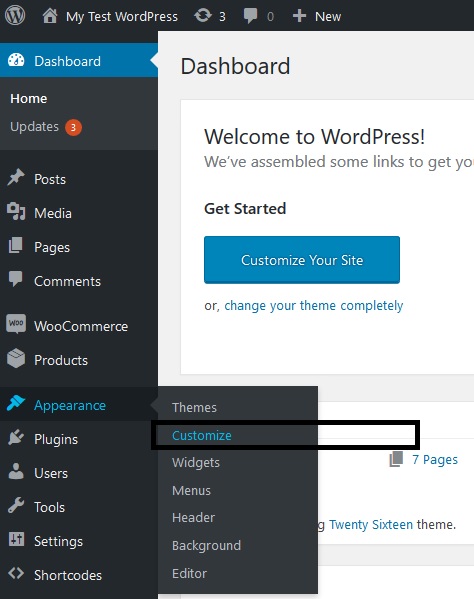
On the Dashboard in the left sidebar, click Appearance, and then click Customise:
-
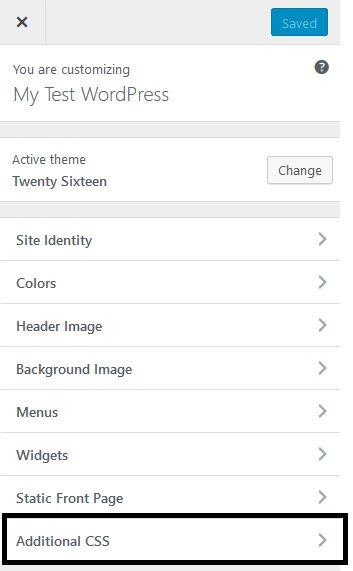
On the theme customization options, click on the “Additional CSS”:
- Insert the custom css code to highlight author response in the comment section (under blog post) in the customizing Additional CSS section:
Content and publishing
Highlighting author comments in your WordPress site
Learn how to use custom CSS to highlight the author’s replies in a blog answer thread in a distinct color.
Your WordPress blog posts may receive a large number of comments, and your response to these comments may be lost in the conversation. This article demonstrates how to use a distinct color to indicate the author of a blog post’s response or comments in a thread.
To add customized CSS to highlight author comments in WordPress, follow these steps:
Was this page helpful?